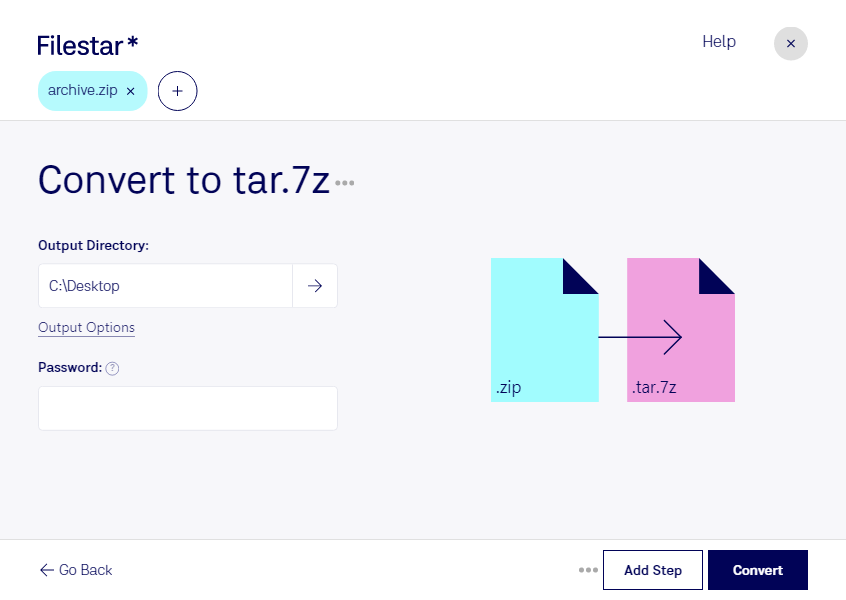
Convert zip to tar.7z

  1. Download and install the latest version of Filestar.

  2. Right click on one or more Zip file(s) on your desktop and select Convert with Filestar.

  3. Type convert to tar.7z in the search box.

  4. Press Convert.

Or let an AI agent do it: filestarcli -i file.zip -c "convert to tar.7z" (how).

convert zip to tar.7z

Let your AI agent convert ZIP to TAR.7Z

Claude Code, Codex, Cursor and other agents can do this on your computer with Filestar. Your files stay on your machine.

Install Filestar and add it to your agents:

npm install -g filestar
filestarcli agent install

Then ask your agent:

“Convert the ZIP files in my Downloads folder to TAR.7Z”

Or run it yourself:

filestarcli -i file.zip -c "convert to tar.7z"

Runs on your computer, so your files stay on it. Works on Windows, macOS and Linux. 50 free conversions with the npm install, no account needed.

Can my AI agent convert ZIP to TAR.7Z?

Yes. Install the Filestar CLI with npm install -g filestar and your agent can run filestarcli -i file.zip -c "convert to tar.7z" on your computer, so your files stay on it.

Using Filestar With AI Agents · Download SKILL.md

What is the difference between .zip and .tar.7z?

Extension
.zip
.tar.7z
Format
Binary
Binary
Category
Compressed
Compressed
Developer
Phil Katz
Igor Pavlov
Description
A ZIP file is an archive that contains one or more files compressed or "zipped" using Zip compression. It stores files separately from each other allowing the files to be compressed using different methods and extracted without compressing or decompressing the entire archive.
This format works based on the LZMA principle compression algorithm. It was originally used in 7-Zip archives. tar.7z archives were created for storing info about file owners and for ease of use in Unix systems, based on a TAR archiving tool.
MIME Type
application/zip
application/x-7z-compressed

Convert Zip To Tar.7z Today

Get started within minutes

Are you looking for a reliable and secure way to convert your zipped files to compressed archive files? Look no further than Filestar. Our software allows for bulk conversion operations, making it easy to process large numbers of files quickly and efficiently. And with versions available for both Windows and OSX, you can use Filestar no matter what operating system you prefer.

Converting zip to tar.7z can be useful in a variety of professional settings. For example, if you work in the software development industry, you may need to convert files in order to share them with colleagues or clients. Or if you work in the graphic design industry, you may need to convert files in order to share them with printers or other vendors. Whatever your needs may be, Filestar provides a safe and professional solution for file processing.

One of the benefits of using Filestar is that all file processing is done locally on your computer. This means that your files are not uploaded to the cloud, where they could potentially be accessed by others. Instead, all processing is done on your own computer, ensuring that your files remain secure and private.

In conclusion, if you need to convert zip files to tar.7z files, look no further than Filestar. Our software provides a fast, reliable, and secure solution for all your file processing needs. Try it today and see for yourself how easy file conversion can be.