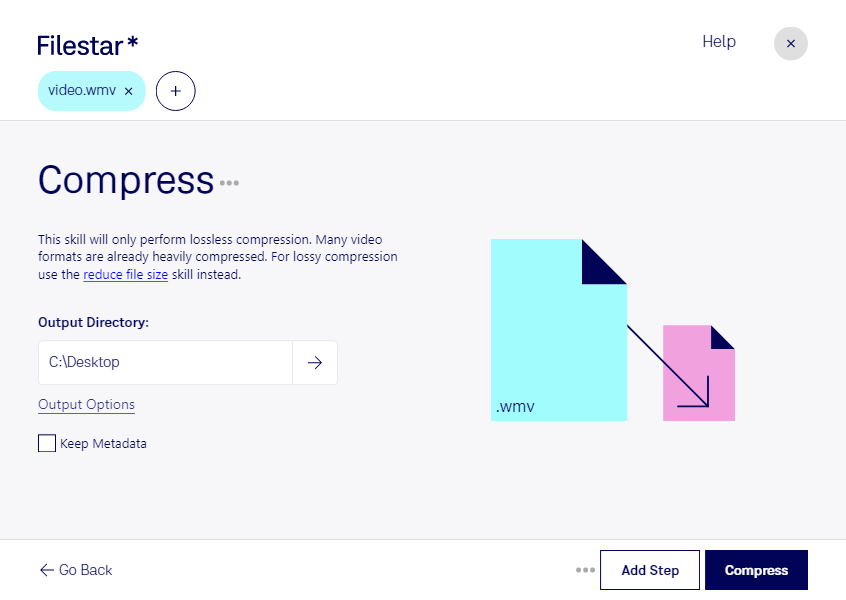
Compress wmv

  1. Download and install the latest version of Filestar.

  2. Right click on one or more Wmv file(s) on your desktop and select Convert with Filestar.

  3. Type compress in the search box.

  4. Press Compress.

Or let an AI agent do it: filestarcli -i file.wmv -c "compress" (how).

compress wmv

Let your AI agent compress WMV

Claude Code, Codex, Cursor and other agents can do this on your computer with Filestar. Your files stay on your machine.

Install Filestar and add it to your agents:

npm install -g filestar
filestarcli agent install

Then ask your agent:

“Use Filestar to compress WMV in my Downloads folder”

Or run it yourself:

filestarcli -i file.wmv -c "compress"

Runs on your computer, so your files stay on it. Works on Windows, macOS and Linux. 50 free conversions with the npm install, no account needed.

Can my AI agent compress WMV?

Yes. Install the Filestar CLI with npm install -g filestar and your agent can run filestarcli -i file.wmv -c "compress" on your computer, so your files stay on it.

Using Filestar With AI Agents · Download SKILL.md

What is .wmv?

Extension
.wmv
Format
Binary
Category
Video
Developer
Microsoft
Description
A WMV file is a video file based on the Microsoft Advanced Systems Format (ASF) container format and compressed with Windows Media compression. It contains video encoded with one of Microsoft's Windows Media Video (WMV) proprietary codecs and is similar to an .ASF file.
MIME Type
video/x-ms-wmv

Compress Wmv Today

Get started within minutes

Are you tired of slow and unsafe online file converters? Look no further than Filestar's file conversion and processing software. With our easy-to-use software, you can quickly and securely compress WMV files in bulk, without the need for an internet connection.

Whether you're a professional video editor, filmmaker, or marketer, compressing WMV files can be a crucial step in your workflow. With Filestar, you can easily compress large video files without sacrificing quality, saving you time and storage space.

One of the unique selling points of Filestar is its ability to perform bulk/batch conversion/operations, allowing you to compress multiple WMV files at once. Plus, our software runs on both Windows and OSX, making it accessible to a wide range of users.

But what sets Filestar apart from online file converters is our commitment to local file processing. By converting and processing files locally on your computer, you can rest assured that your files are safe and secure. Unlike cloud-based solutions, your files never leave your computer, giving you complete control over your data.

In summary, if you're looking for a safe and efficient way to compress WMV files, look no further than Filestar. With our easy-to-use software, bulk/batch conversion/operations, and commitment to local file processing, you can trust us to handle your files with care. Get in touch today to learn more!