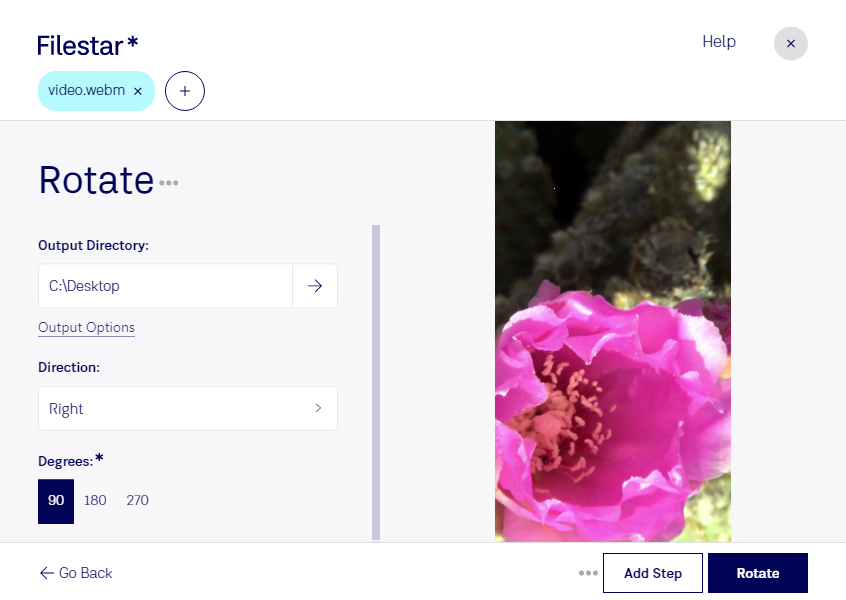
Rotate WebM Files Easily with Filestar - Batch Convert and Process Locally
Filestar is the perfect software for professionals in video editing and content creation who need to rotate WebM files quickly and efficiently. With our software, you can easily perform bulk/batch conversion and processing operations on your WebM files, saving you valuable time and effort.
The best part is that Filestar runs on both Windows and OSX, so you can use it no matter what operating system you prefer. You don't have to worry about an internet connection, as the software is installed locally on your computer, making it more secure than cloud-based solutions.
When it comes to rotating WebM files, Filestar makes the process simple and straightforward. Whether you need to rotate a single file or a large batch, you can do so with just a few clicks. This feature is especially useful for professionals who work with videos that were shot in portrait mode, as rotating them to landscape mode is often necessary.
In addition to rotating WebM files, Filestar offers a wide range of other features and benefits. You can convert files to different formats, resize images, merge PDFs, and much more. This makes it a versatile tool that can be used in a variety of industries and professions.
If you're looking for a safe and reliable way to rotate WebM files, look no further than Filestar. Our software is designed to make your life easier and more efficient, so you can focus on what you do best. Get in touch with us today to learn more about our software and how it can help you.