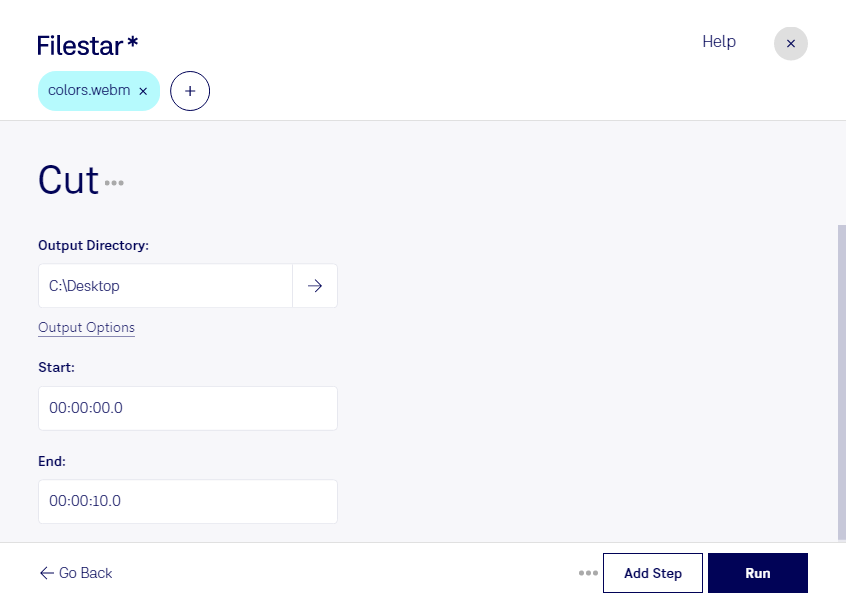
Cut webm

  1. Download and install the latest version of Filestar.

  2. Right click on one or more Webm file(s) on your desktop and select Convert with Filestar.

  3. Type cut in the search box.

  4. Press Run.

Or let an AI agent do it: filestarcli -i file.webm -c "cut" (how).

cut webm

Let your AI agent cut WEBM

Claude Code, Codex, Cursor and other agents can do this on your computer with Filestar. Your files stay on your machine.

Install Filestar and add it to your agents:

npm install -g filestar
filestarcli agent install

Then ask your agent:

“Use Filestar to cut WEBM in my Downloads folder”

Or run it yourself:

filestarcli -i file.webm -c "cut"

Runs on your computer, so your files stay on it. Works on Windows, macOS and Linux. 50 free conversions with the npm install, no account needed.

Can my AI agent cut WEBM?

Yes. Install the Filestar CLI with npm install -g filestar and your agent can run filestarcli -i file.webm -c "cut" on your computer, so your files stay on it.

Using Filestar With AI Agents · Download SKILL.md

What is .webm?

Extension
.webm
Format
Binary
Category
Video
Developer
Google
Description
A WEBM file is a compressed video saved in the WebM format, an open, high-quality video standard. It stores video compressed using VP8 technology and audio compressed using Ogg Vorbis compression. WEBM files are commonly used for delivering online videos using the HTML5 <video> tag.
MIME Type
video/webm

Cut Webm Today

Get started within minutes

Cut WebM

Filestar's file conversion and processing software allows you to easily cut WebM files to your desired length. With just a few clicks, you can trim and convert your WebM video files in bulk, saving you valuable time and effort.

Filestar runs on both Windows and OSX, making it a versatile tool for professionals in various industries. For example, video editors can use the software to quickly cut and trim WebM files for their projects. Additionally, marketers can use Filestar to batch convert WebM files to different formats, making it easier to share their videos on multiple platforms.

One of the key benefits of using Filestar is that all conversions and operations are done locally on your computer. This means that you don't have to worry about any privacy or security concerns that come with cloud-based processing. With Filestar, you can feel confident that your files are safe and secure.

In conclusion, if you're looking for a reliable and efficient way to cut WebM files, Filestar is the perfect solution. With its bulk conversion capabilities and local processing, you can save time and ensure the safety of your files. Get in touch with us today to learn more about how Filestar can help you with your file processing needs.