Insert text svg

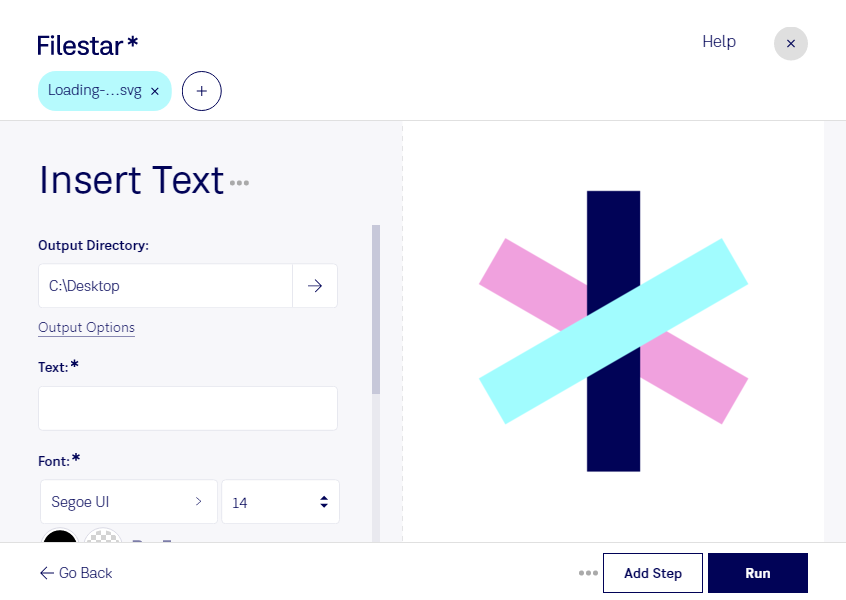
  1. Download and install the latest version of Filestar.

  2. Right click on one or more Svg file(s) on your desktop and select Convert with Filestar.

  3. Type insert text in the search box.

  4. Press Run.

Or let an AI agent do it: filestarcli -i photo.svg -c "insert text" (how).

insert text svg

Let your AI agent insert text SVG

Claude Code, Codex, Cursor and other agents can do this on your computer with Filestar. Your files stay on your machine.

Install Filestar and add it to your agents:

npm install -g filestar
filestarcli agent install

Then ask your agent:

“Use Filestar to insert text SVG in my Downloads folder”

Or run it yourself:

filestarcli -i photo.svg -c "insert text"

Runs on your computer, so your files stay on it. Works on Windows, macOS and Linux. 50 free conversions with the npm install, no account needed.

Can my AI agent insert text SVG?

Yes. Install the Filestar CLI with npm install -g filestar and your agent can run filestarcli -i photo.svg -c "insert text" on your computer, so your files stay on it.

Using Filestar With AI Agents · Download SKILL.md

What is .svg?

Extension
.svg
Format
Text
Category
Vector Image
Developer
Adobe Systems
Description
An SVG file is a graphics file that uses a two-dimensional vector graphic format created by the World Wide Web Consortium (W3C). It describes images using a text format that is based on XML. SVG files are developed as a standard format for displaying vector graphics on the web.
MIME Type
image/svg+xml

Insert Text Svg Today

Get started within minutes

Are you looking for a reliable software to insert text into your vector images? Filestar's Insert Text SVG feature is the perfect solution for you! Our software allows for bulk/batch conversion and operations, making it the ideal choice for professionals who need to process large numbers of files quickly and efficiently.

Whether you're a graphic designer, web developer, or digital artist, our software can help you add text to your vector images in a snap. With just a few clicks, you can customize your images with text that matches your brand's style and message.

One of the best things about Filestar is that it runs locally on your computer, which means you don't have to worry about your files being processed in the cloud. This makes our software a safe and secure choice for professionals who need to protect their sensitive data.

Filestar runs on both Windows and OSX, so no matter what operating system you use, you can enjoy the benefits of our Insert Text SVG feature. Our software is user-friendly and intuitive, so you don't need to be a tech expert to use it.

In conclusion, if you're looking for a reliable software to add text to your vector images, Filestar's Insert Text SVG feature is the perfect choice for you. Try it today and experience safe and efficient operations with our bulk conversion and processing software.