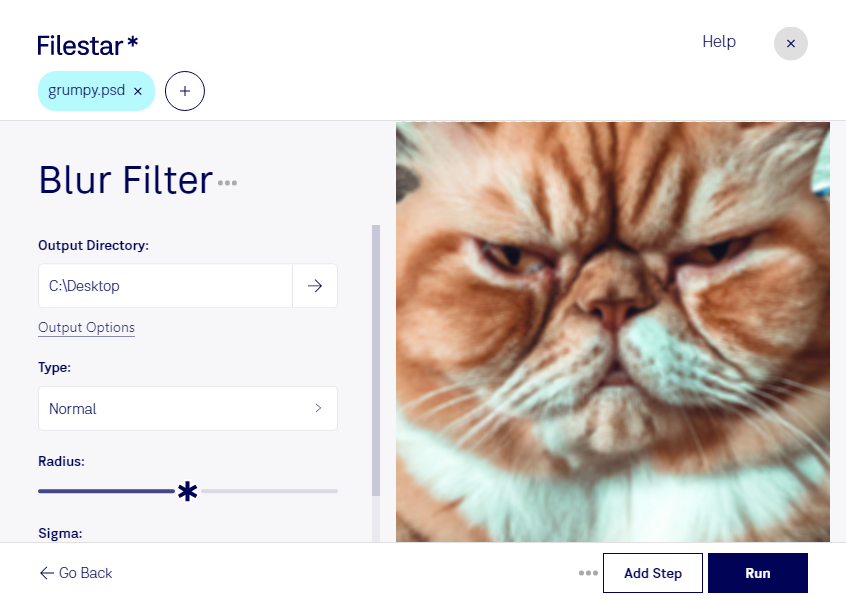
Blur psd filter

  1. Download and install the latest version of Filestar.

  2. Right click on one or more Psd file(s) on your desktop and select Convert with Filestar.

  3. Type blur filter in the search box.

  4. Press Run.

  5. Or let an AI agent do it: filestarcli -i photo.psd -c "blur filter" (how).

blur psd filter

Let your AI agent blur PSD filter

Claude Code, Codex, Cursor and other agents can do this on your computer with Filestar. Your files stay on your machine.

Install Filestar and add it to your agents:

npm install -g filestar
filestarcli agent install

Then ask your agent:

“Use Filestar to blur PSD filter in my Downloads folder”

Or run it yourself:

filestarcli -i photo.psd -c "blur filter"

Runs on your computer, so your files stay on it. Works on Windows, macOS and Linux. 50 free conversions with the npm install, no account needed.

Can my AI agent blur PSD filter?

Yes. Install the Filestar CLI with npm install -g filestar and your agent can run filestarcli -i photo.psd -c "blur filter" on your computer, so your files stay on it.

Using Filestar With AI Agents →

What is .psd?

Extension
.psd
Format
Binary
Category
Raster Image
Developer
Adobe Systems
Description
A PSD file is an image file created by Adobe Photoshop, a professional image-editing program often used to enhance digital photos and create web graphics. It is the native format used to save files in Photoshop. PSD files may include image layers, adjustment layers, layer masks, annotations, file information, keywords, and other Photoshop-specific elements. They are commonly created and shared among graphics professionals.
MIME Type
image/vnd.adobe.photoshop

Blur Psd Filter Today

Get started within minutes

Are you tired of manually blurring your PSD files one by one? Look no further than Filestar's Blur PSD Filter. Our software allows for bulk conversion and operations, saving time and effort for professionals working in graphic design, photography, and other fields.

Filestar's Blur PSD Filter is specifically designed for Adobe Photoshop Documents, or PSD files. As a raster image file, PSDs can be large and cumbersome to work with. But with our software, you can easily apply blur effects to multiple files at once, streamlining your workflow and increasing productivity.

And the best part? Filestar runs locally on your computer, ensuring the safety and security of your files. Unlike cloud-based converters, you don't have to worry about your sensitive data being compromised. Plus, our software is available for both Windows and OSX, so no matter what operating system you use, you can take advantage of the benefits of bulk conversion and processing.

So whether you're a graphic designer looking to quickly blur backgrounds in a series of images, or a photographer wanting to add artistic effects to a batch of photos, Filestar's Blur PSD Filter has got you covered. Try it out today and see the difference it can make in your workflow.