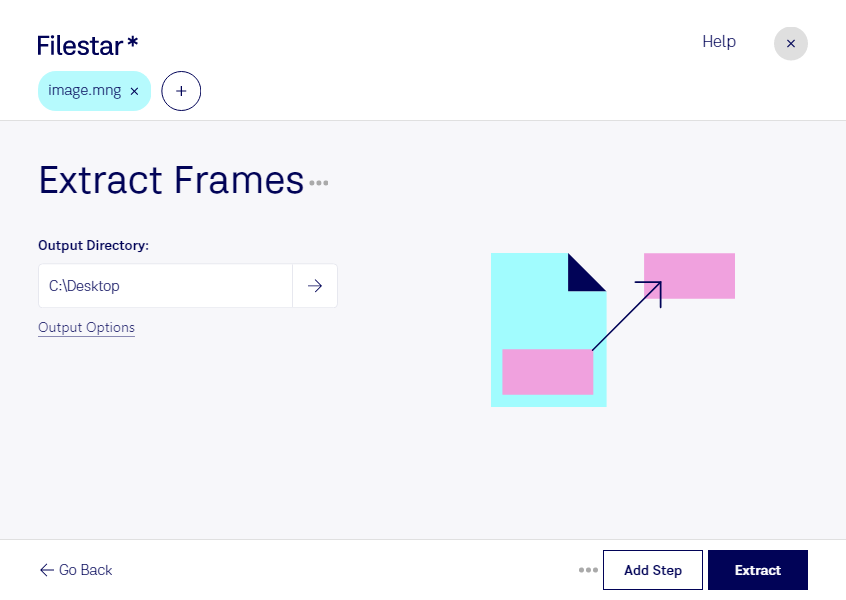
Extract mng frames

  1. Download and install the latest version of Filestar.

  2. Right click on one or more Mng file(s) on your desktop and select Convert with Filestar.

  3. Type extract frames in the search box.

  4. Press Extract.

Or let an AI agent do it: filestarcli -i photo.mng -c "extract frames" (how).

extract mng frames

Let your AI agent extract MNG frames

Claude Code, Codex, Cursor and other agents can do this on your computer with Filestar. Your files stay on your machine.

Install Filestar and add it to your agents:

npm install -g filestar
filestarcli agent install

Then ask your agent:

“Use Filestar to extract MNG frames in my Downloads folder”

Or run it yourself:

filestarcli -i photo.mng -c "extract frames"

Runs on your computer, so your files stay on it. Works on Windows, macOS and Linux. 50 free conversions with the npm install, no account needed.

Can my AI agent extract MNG frames?

Yes. Install the Filestar CLI with npm install -g filestar and your agent can run filestarcli -i photo.mng -c "extract frames" on your computer, so your files stay on it.

Using Filestar With AI Agents · Download SKILL.md

What is .mng?

Extension
.mng
Format
Binary
Category
Raster Image
Developer
MNG was developed by Tom Boutell.
Description
An extension of the .PNG image format that uses indexed colors and supports image animations; similar to an animated .GIF file, but uses higher compression and features full alpha support (multi-level transparency).
MIME Type
video/x-mng

Extract Mng Frames Today

Get started within minutes

Are you looking for a reliable software to extract MNG frames from your raster image files? Look no further than Filestar. Our software allows you to easily extract frames from MNG files, with the added benefit of being able to perform bulk operations for increased efficiency.

Whether you're a professional graphic designer, animator, or simply someone who needs to extract frames from MNG files, our software is the perfect solution. With Filestar, you can convert and process your files locally on your computer, ensuring that your sensitive data remains secure.

Our software is compatible with both Windows and OSX, making it accessible to a wide range of users. And with our user-friendly interface, you don't need to be a tech expert to use it. Simply select the MNG file you want to extract frames from, choose the output format, and let Filestar do the rest.

In addition to extracting MNG frames, Filestar offers a range of other file conversion and processing capabilities. From converting audio and video files to resizing images and merging PDFs, our software has everything you need to streamline your workflow.

So why wait? Try Filestar today and experience the power of fast, secure, and efficient file conversion and processing. Get in touch with us to learn more about our software and how it can benefit you.