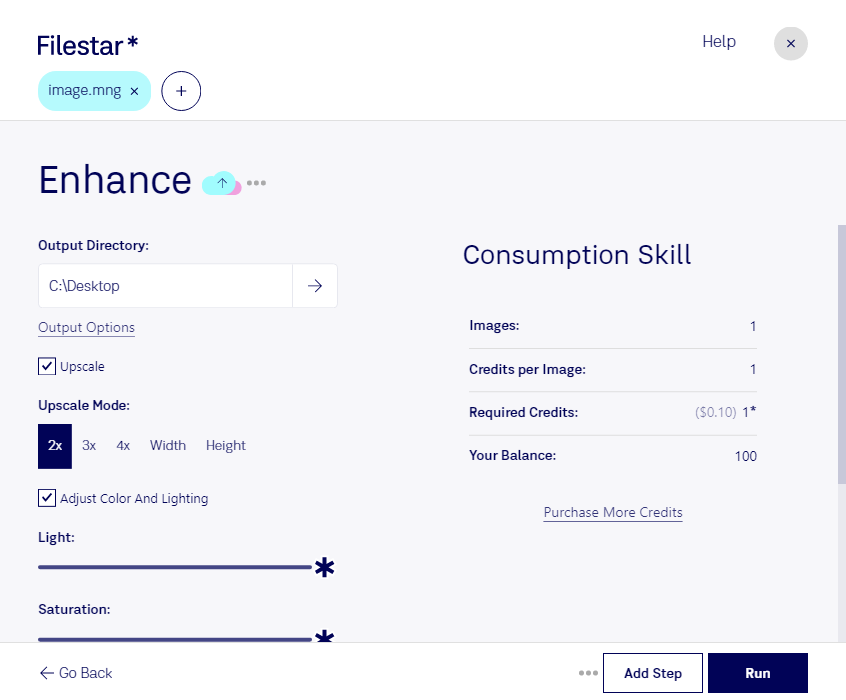
Enhance mng

  1. Download and install the latest version of Filestar.

  2. Right click on one or more Mng file(s) on your desktop and select Convert with Filestar.

  3. Type enhance in the search box.

  4. Press Run.

Or let an AI agent do it: filestarcli -i photo.mng -c "enhance" (how).

enhance mng

Let your AI agent enhance MNG

Claude Code, Codex, Cursor and other agents can do this on your computer with Filestar. Your files stay on your machine.

Install Filestar and add it to your agents:

npm install -g filestar
filestarcli agent install

Then ask your agent:

“Use Filestar to enhance MNG in my Downloads folder”

Or run it yourself:

filestarcli -i photo.mng -c "enhance"

Runs on your computer, so your files stay on it. Works on Windows, macOS and Linux. 50 free conversions with the npm install, no account needed.

Can my AI agent enhance MNG?

Yes. Install the Filestar CLI with npm install -g filestar and your agent can run filestarcli -i photo.mng -c "enhance" on your computer, so your files stay on it.

Using Filestar With AI Agents · Download SKILL.md

What is .mng?

Extension
.mng
Format
Binary
Category
Raster Image
Developer
MNG was developed by Tom Boutell.
Description
An extension of the .PNG image format that uses indexed colors and supports image animations; similar to an animated .GIF file, but uses higher compression and features full alpha support (multi-level transparency).
MIME Type
video/x-mng

Enhance Mng Today

Get started within minutes

Enhance MNG with Filestar's powerful file conversion and processing software. Designed for professionals who need to work with raster image files, Enhance MNG makes it easy to convert, resize, and edit MNG files in bulk. With Filestar, you can perform these operations locally on your computer, keeping your files safe and secure.

Whether you're a graphic designer, animator, or working in another field that requires MNG files, Enhance MNG can help you streamline your workflow. Instead of converting files one by one, you can use Filestar to convert entire folders of MNG files at once. This saves you time and ensures consistency across your projects.

One of the benefits of using Filestar is that it runs on both Windows and OSX. This means that no matter what operating system you use, you can take advantage of Enhance MNG's powerful features. You don't need an internet connection to use Filestar, so you can work offline and avoid any potential security risks associated with cloud-based file processing.

If you're looking for a safe and efficient way to convert and process MNG files, Enhance MNG with Filestar is the solution you've been searching for. Try it today and see how it can improve your workflow and productivity.