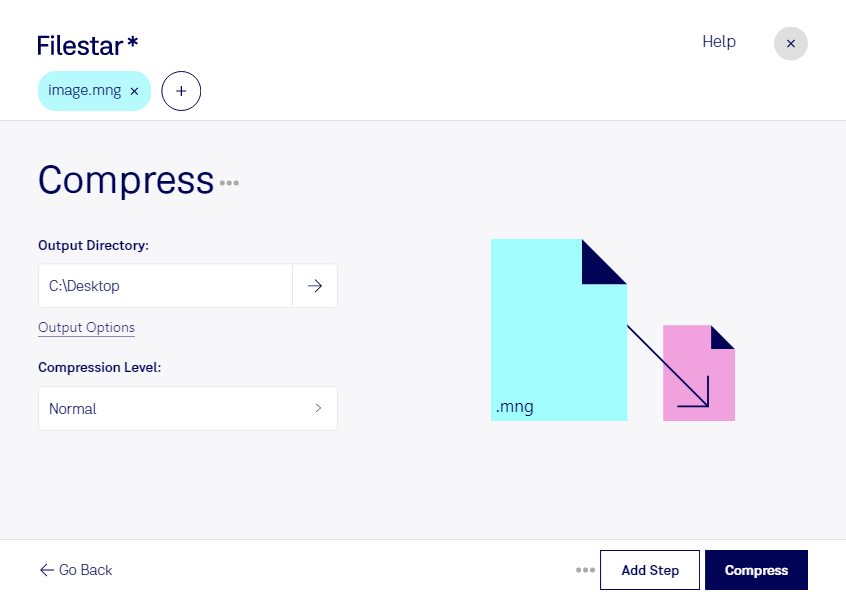
Compress mng

  1. Download and install the latest version of Filestar.

  2. Right click on one or more Mng file(s) on your desktop and select Convert with Filestar.

  3. Type compress in the search box.

  4. Press Compress.

Or let an AI agent do it: filestarcli -i photo.mng -c "compress" (how).

compress mng

Let your AI agent compress MNG

Claude Code, Codex, Cursor and other agents can do this on your computer with Filestar. Your files stay on your machine.

Install Filestar and add it to your agents:

npm install -g filestar
filestarcli agent install

Then ask your agent:

“Use Filestar to compress MNG in my Downloads folder”

Or run it yourself:

filestarcli -i photo.mng -c "compress"

Runs on your computer, so your files stay on it. Works on Windows, macOS and Linux. 50 free conversions with the npm install, no account needed.

Can my AI agent compress MNG?

Yes. Install the Filestar CLI with npm install -g filestar and your agent can run filestarcli -i photo.mng -c "compress" on your computer, so your files stay on it.

Using Filestar With AI Agents · Download SKILL.md

What is .mng?

Extension
.mng
Format
Binary
Category
Raster Image
Developer
MNG was developed by Tom Boutell.
Description
An extension of the .PNG image format that uses indexed colors and supports image animations; similar to an animated .GIF file, but uses higher compression and features full alpha support (multi-level transparency).
MIME Type
video/x-mng

Compress Mng Today

Get started within minutes

Compress MNG Files in Bulk with Filestar

Filestar's file processing software allows you to compress MNG files in bulk with ease. MNG, or Multiple Network Graphic, is a raster image file that can take up a lot of space on your computer. With Filestar, you can compress multiple MNG files at once, saving you time and storage space.

Filestar's bulk conversion feature also allows you to perform other operations on your MNG files, such as converting them to other image formats or resizing them. This makes it a versatile tool for professionals who work with raster images, such as graphic designers, photographers, and web developers.

One of the benefits of using Filestar is that it runs locally on your Windows or OSX computer, meaning you don't have to rely on an internet connection or worry about the security of your files in the cloud. This is especially important for professionals who work with sensitive or proprietary information.

In addition to compressing MNG files, Filestar can handle a wide range of file types and formats, making it a comprehensive file processing solution. Whether you need to convert documents, images, audio, or video files, Filestar has you covered.

Try Filestar today and experience the convenience and safety of local file processing.