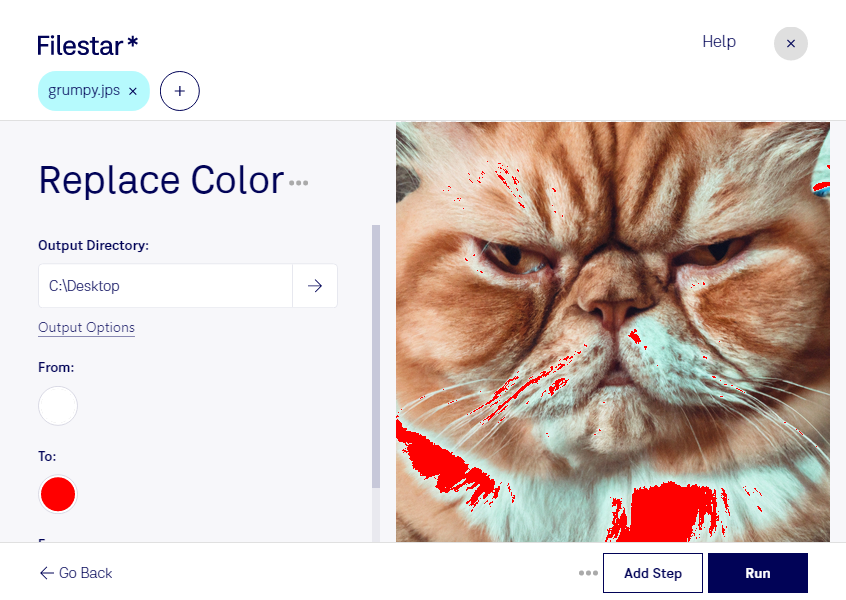
Replace color jps

  1. Download and install the latest version of Filestar.

  2. Right click on one or more Jps file(s) on your desktop and select Convert with Filestar.

  3. Type replace color in the search box.

  4. Press Run.

Or let an AI agent do it: filestarcli -i photo.jps -c "replace color" (how).

replace color jps

Let your AI agent replace color JPS

Claude Code, Codex, Cursor and other agents can do this on your computer with Filestar. Your files stay on your machine.

Install Filestar and add it to your agents:

npm install -g filestar
filestarcli agent install

Then ask your agent:

“Use Filestar to replace color JPS in my Downloads folder”

Or run it yourself:

filestarcli -i photo.jps -c "replace color"

Runs on your computer, so your files stay on it. Works on Windows, macOS and Linux. 50 free conversions with the npm install, no account needed.

Can my AI agent replace color JPS?

Yes. Install the Filestar CLI with npm install -g filestar and your agent can run filestarcli -i photo.jps -c "replace color" on your computer, so your files stay on it.

Using Filestar With AI Agents · Download SKILL.md

What is .jps?

Extension
.jps
Format
Binary
Category
Raster Image
Developer
NemySoft
Description
A JPS file stores two images taken from different angles. It is used to make a 3D effect from 2D images.
MIME Type
image/jps

Replace Color Jps Today

Get started within minutes

Are you tired of manually replacing colors in your Stereo JPEG Images? Look no further than Filestar's Replace Color JPS feature. This powerful tool allows you to quickly and easily swap out colors in bulk, saving you valuable time and effort.

Filestar's software runs locally on your computer, ensuring your files are processed safely and securely. No need to worry about the security risks of cloud-based processing.

Replace Color JPS is not just for casual users, but also for professionals in various industries. Photographers can use it to adjust the color balance of their images, while designers can use it to create unique color schemes. Architects can use it to visualize building designs in different color palettes.

And with Filestar's batch conversion and processing capabilities, you can easily apply the same color replacements to multiple files at once. Plus, our software is compatible with both Windows and OSX, making it accessible to a wide range of users.

In conclusion, if you're looking for a fast and efficient way to replace colors in your Stereo JPEG Images, look no further than Filestar's Replace Color JPS feature. Try it out today and see the difference it can make in your workflow. Contact us to learn more or to get started.