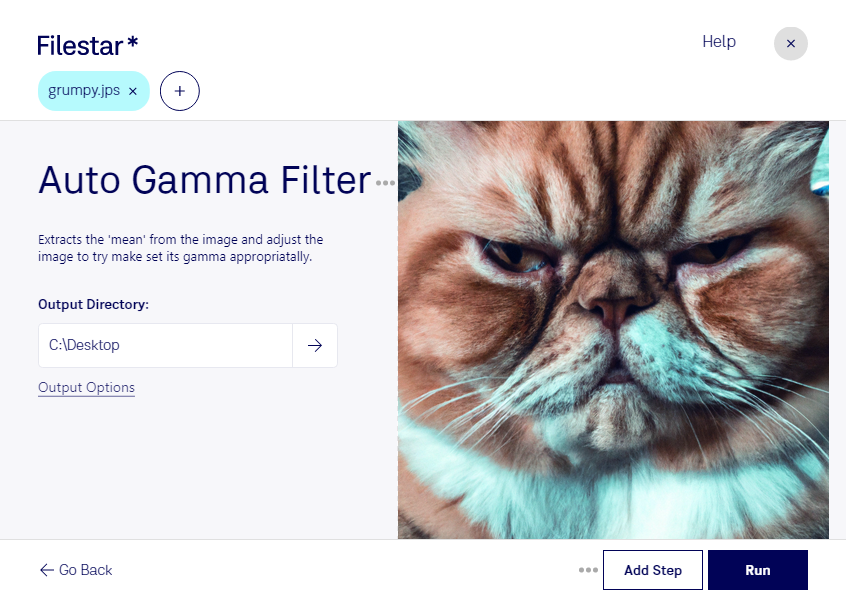
Auto gamma jps filter

  1. Download and install the latest version of Filestar.

  2. Right click on one or more Jps file(s) on your desktop and select Convert with Filestar.

  3. Type auto gamma filter in the search box.

  4. Press Run.

Or let an AI agent do it: filestarcli -i photo.jps -c "auto gamma filter" (how).

auto gamma jps filter

Let your AI agent auto gamma JPS filter

Claude Code, Codex, Cursor and other agents can do this on your computer with Filestar. Your files stay on your machine.

Install Filestar and add it to your agents:

npm install -g filestar
filestarcli agent install

Then ask your agent:

“Use Filestar to auto gamma JPS filter in my Downloads folder”

Or run it yourself:

filestarcli -i photo.jps -c "auto gamma filter"

Runs on your computer, so your files stay on it. Works on Windows, macOS and Linux. 50 free conversions with the npm install, no account needed.

Can my AI agent auto gamma JPS filter?

Yes. Install the Filestar CLI with npm install -g filestar and your agent can run filestarcli -i photo.jps -c "auto gamma filter" on your computer, so your files stay on it.

Using Filestar With AI Agents · Download SKILL.md

What is .jps?

Extension
.jps
Format
Binary
Category
Raster Image
Developer
NemySoft
Description
A JPS file stores two images taken from different angles. It is used to make a 3D effect from 2D images.
MIME Type
image/jps

Auto Gamma Jps Filter Today

Get started within minutes

Auto Gamma JPS Filter is an essential tool for professionals who work with Stereo JPEG Images. With Filestar's software, you can easily convert and process bulk/batch operations of these raster image files on your Windows or OSX computer.

The software's Auto Gamma JPS Filter feature is particularly useful for professionals in photography, design, and other industries where high-quality image processing is essential. The filter automatically adjusts the gamma value of the image to improve its overall brightness and contrast. This results in a sharper and more vibrant image that is sure to impress.

One of the benefits of using Filestar's software is that the conversion and processing are done locally on your computer, rather than in the cloud. This means that your files remain safe and secure, and you don't have to worry about any potential security risks associated with cloud-based processing.

In conclusion, if you're looking for a reliable and efficient way to convert and process Stereo JPEG Images, look no further than Auto Gamma JPS Filter by Filestar. Try it out today and see the difference it can make for your professional work. Don't hesitate to reach out to us if you have any questions or concerns.