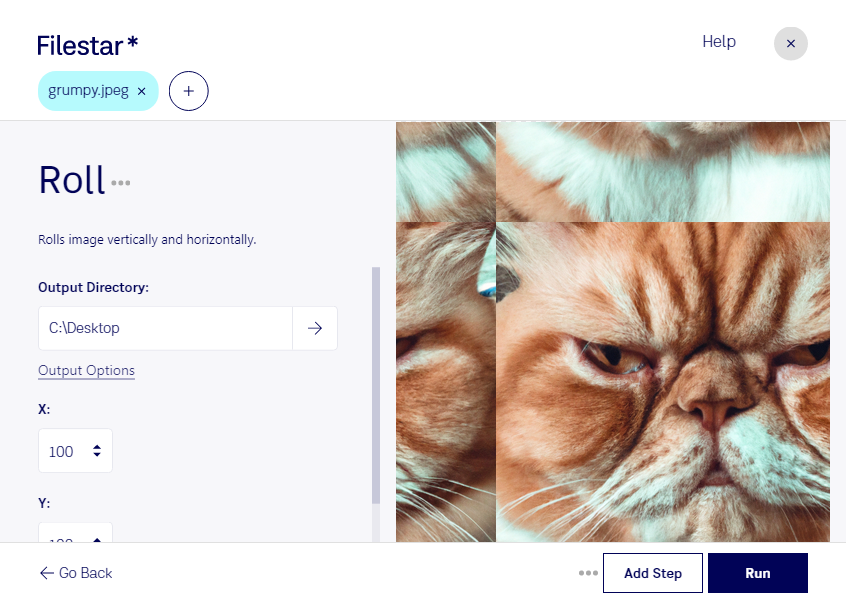
Roll jpeg

  1. Download and install the latest version of Filestar.

  2. Right click on one or more Jpeg file(s) on your desktop and select Convert with Filestar.

  3. Type roll in the search box.

  4. Press Run.

Or let an AI agent do it: filestarcli -i photo.jpeg -c "roll" (how).

roll jpeg

Let your AI agent roll JPEG

Claude Code, Codex, Cursor and other agents can do this on your computer with Filestar. Your files stay on your machine.

Install Filestar and add it to your agents:

npm install -g filestar
filestarcli agent install

Then ask your agent:

“Use Filestar to roll JPEG in my Downloads folder”

Or run it yourself:

filestarcli -i photo.jpeg -c "roll"

Runs on your computer, so your files stay on it. Works on Windows, macOS and Linux. 50 free conversions with the npm install, no account needed.

Can my AI agent roll JPEG?

Yes. Install the Filestar CLI with npm install -g filestar and your agent can run filestarcli -i photo.jpeg -c "roll" on your computer, so your files stay on it.

Using Filestar With AI Agents · Download SKILL.md

What is .jpeg?

Extension
.jpeg
Format
Binary
Category
Raster Image
Developer
Joint Photographic Experts Group
Description
A JPEG file is an image saved in a compressed graphic format standardized by the Joint Photographic Experts Group (JPEG). It supports up to 24-bit color and is compressed using lossy compression, which may noticeably reduce the image quality if high amounts of compression are used. JPEG files are commonly used for storing digital photos and web graphics.
MIME Type
image/jpeg

Roll Jpeg Today

Get started within minutes

Roll JPEG Conversion and Processing Software

Filestar's roll JPEG software is the perfect solution for professionals who need to convert and process large numbers of JPEG images. With bulk/batch conversion/operations, this software can save you hours of work by allowing you to convert and process entire folders of JPEG images at once.

Whether you're a graphic designer, photographer, or marketer, roll JPEG can help you streamline your workflow and get more done in less time. With Filestar, you can trust that your files are being processed locally on your computer, which means you don't have to worry about the security risks associated with cloud-based processing.

Filestar's roll JPEG software runs on both Windows and OSX, so no matter what operating system you're using, you can take advantage of its powerful features. Convert your JPEG images to other formats, resize them, and apply filters and effects to make them stand out.

If you're a photographer, roll JPEG can help you quickly resize and optimize your images for use on your website or in print. If you're a graphic designer, you can use roll JPEG to convert your client's images to the correct format and size for their project. And if you're a marketer, you can use roll JPEG to quickly create social media graphics and other marketing materials.

With Filestar's roll JPEG software, you can save time and increase your productivity while keeping your files safe and secure. Try it today and see how it can transform your workflow.