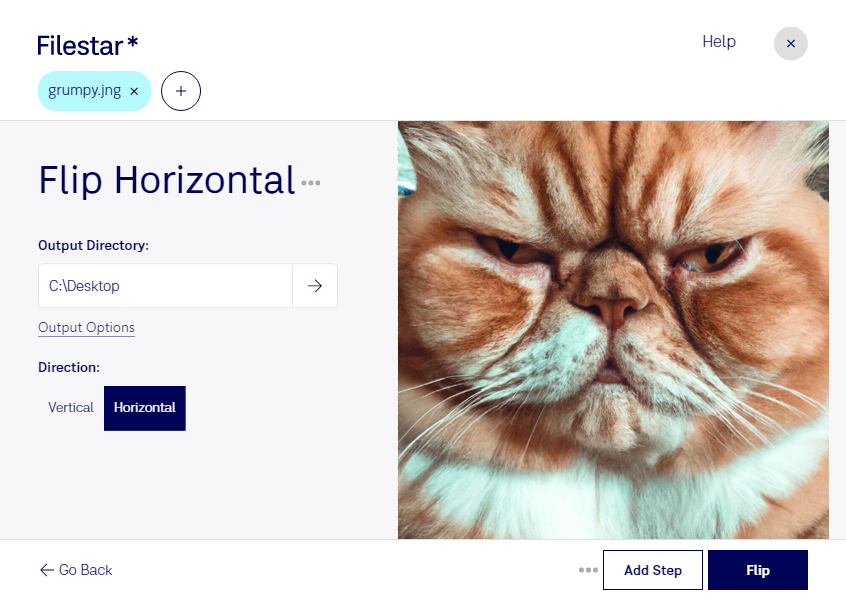
Flip jng horizontal

  1. Download and install the latest version of Filestar.

  2. Right click on one or more Jng file(s) on your desktop and select Convert with Filestar.

  3. Type flip horizontal in the search box.

  4. Press Flip.

  5. Or let an AI agent do it: filestarcli -i photo.jng -c "flip horizontal" (how).

flip jng horizontal

Let your AI agent flip JNG horizontal

Claude Code, Codex, Cursor and other agents can do this on your computer with Filestar. Your files stay on your machine.

Install Filestar and add it to your agents:

npm install -g filestar
filestarcli agent install

Then ask your agent:

“Use Filestar to flip JNG horizontal in my Downloads folder”

Or run it yourself:

filestarcli -i photo.jng -c "flip horizontal"

Runs on your computer, so your files stay on it. Works on Windows, macOS and Linux. 50 free conversions with the npm install, no account needed.

Can my AI agent flip JNG horizontal?

Yes. Install the Filestar CLI with npm install -g filestar and your agent can run filestarcli -i photo.jng -c "flip horizontal" on your computer, so your files stay on it.

Using Filestar With AI Agents →

What is .jng?

Extension
.jng
Format
Binary
Category
Raster Image
Developer
Mozilla Corporation
Description
Image file format related to the .PNG format, but uses lossy compression like standard .JPG files; developed as a sub-format for .MNG objects, but can also be used as a standalone raster image format.
MIME Type
image/x-jng

Flip Jng Horizontal Today

Get started within minutes

Are you a professional who needs to manipulate large amounts of JNG files? Filestar's flip JNG horizontal feature allows you to easily flip your JNG files horizontally in bulk. With Filestar's file conversion and processing software, you can perform batch operations on your JNG files, saving you time and effort.

Filestar runs on both Windows and OSX, so you can use our software no matter which operating system you prefer. Plus, our software is not an online converter, so you can convert and process your files locally on your computer, which is much safer than doing it in the cloud.

But why might you need to flip JNG files horizontally? Well, there are a variety of reasons. For example, if you work in the photography industry, you may need to flip images horizontally to create a mirror effect or to correct an image that was taken with the wrong orientation. Or, if you work in the graphic design industry, you may need to flip images horizontally to create a symmetrical design.

No matter what your profession, if you work with JNG files, Filestar's flip JNG horizontal feature can save you time and effort. And with our bulk conversion and processing capabilities, you can manipulate large amounts of JNG files with ease. So why not try Filestar today and see how our software can help you streamline your workflow?