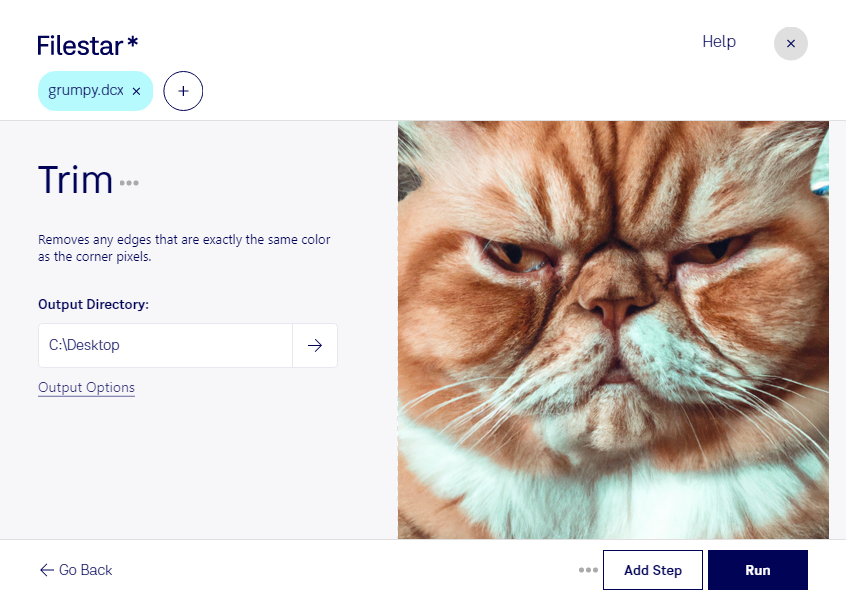
Trim dcx

  1. Download and install the latest version of Filestar.

  2. Right click on one or more Dcx file(s) on your desktop and select Convert with Filestar.

  3. Type trim in the search box.

  4. Press Run.

Or let an AI agent do it: filestarcli -i photo.dcx -c "trim" (how).

trim dcx

Let your AI agent trim DCX

Claude Code, Codex, Cursor and other agents can do this on your computer with Filestar. Your files stay on your machine.

Install Filestar and add it to your agents:

npm install -g filestar
filestarcli agent install

Then ask your agent:

“Use Filestar to trim DCX in my Downloads folder”

Or run it yourself:

filestarcli -i photo.dcx -c "trim"

Runs on your computer, so your files stay on it. Works on Windows, macOS and Linux. 50 free conversions with the npm install, no account needed.

Can my AI agent trim DCX?

Yes. Install the Filestar CLI with npm install -g filestar and your agent can run filestarcli -i photo.dcx -c "trim" on your computer, so your files stay on it.

Using Filestar With AI Agents · Download SKILL.md

What is .dcx?

Extension
.dcx
Format
Binary
Category
Raster Image
Developer
ZSoft
Description
DCX file is a multi-page image file developed by raster file or bitmap file formats. It is generated fro PCX files, so it has a small header that shows the .dcx then a sequence of .pcx data. Popularly used by applications to create and send multi-page fax files.
MIME Type
image/x-dcx

Trim Dcx Today

Get started within minutes

Are you looking for a reliable software to trim DCX files? Filestar has got you covered! Our software is designed to handle bulk conversion and operations, making it ideal for professionals who need to process large numbers of files quickly and efficiently.

Whether you're a graphic designer, photographer, or simply someone who needs to convert and edit raster image files, Filestar is the perfect solution for you. Our software runs on both Windows and OSX, so you can use it no matter what platform you prefer.

One of the biggest advantages of using Filestar is that you can convert and process your files locally on your computer, rather than in the cloud. This means that your files are more secure, as you don't have to worry about them being accessed by unauthorized third parties.

Trimming DCX files with Filestar is easy and intuitive. Simply drag and drop your files into the software, and you're ready to go. You can then choose from a variety of editing and conversion options, including resizing, cropping, and color correction.

So why wait? If you're looking for a powerful and reliable software to trim DCX files, look no further than Filestar. Contact us today to learn more about our software and how it can help you streamline your workflow.