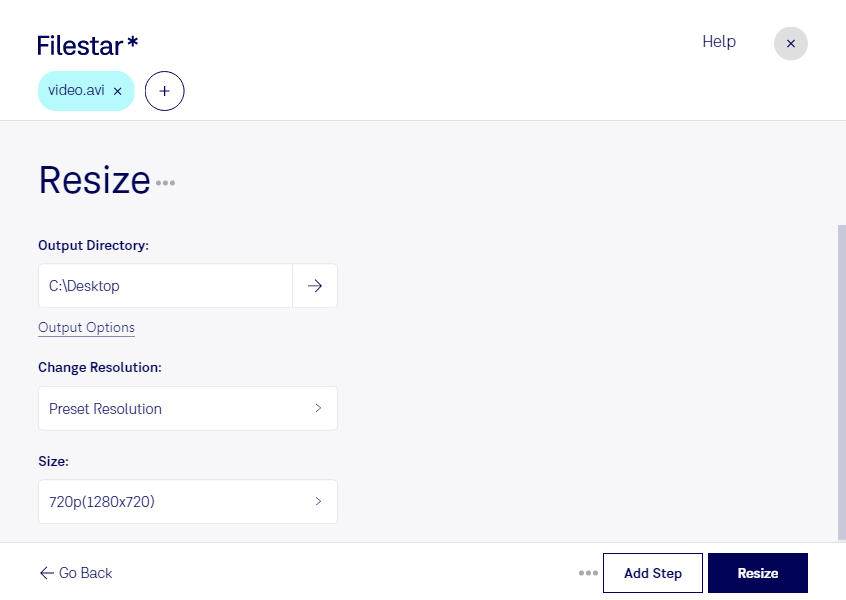
Resize avi

  1. Download and install the latest version of Filestar.

  2. Right click on one or more Avi file(s) on your desktop and select Convert with Filestar.

  3. Type resize in the search box.

  4. Press Resize.

  5. Or let an AI agent do it: filestarcli -i file.avi -c "resize" (how).

resize avi

Let your AI agent resize AVI

Claude Code, Codex, Cursor and other agents can do this on your computer with Filestar. Your files stay on your machine.

Install Filestar and add it to your agents:

npm install -g filestar
filestarcli agent install

Then ask your agent:

“Use Filestar to resize AVI in my Downloads folder”

Or run it yourself:

filestarcli -i file.avi -c "resize"

Runs on your computer, so your files stay on it. Works on Windows, macOS and Linux. 50 free conversions with the npm install, no account needed.

Can my AI agent resize AVI?

Yes. Install the Filestar CLI with npm install -g filestar and your agent can run filestarcli -i file.avi -c "resize" on your computer, so your files stay on it.

Using Filestar With AI Agents →

What is .avi?

Extension
.avi
Format
Binary
Category
Video
Developer
Microsoft
Description
An AVI file is a file saved in a multimedia container format created by Microsoft. It stores video and audio data that may be encoded in a variety of codecs such as DivX and XviD. AVI files typically use less compression than similar formats such as .MPEG and .MOV.
MIME Type
video/avi

Resize Avi Today

Get started within minutes

Are you looking for a way to resize your AVI files quickly and easily? Look no further than Filestar's file conversion and processing software. Our software is designed to handle bulk operations, making it easy to resize multiple files at once. And with our software running on both Windows and OSX, you can resize AVI files no matter what operating system you use.

But who might need to resize AVI files, you ask? Well, professionals in video editing, marketing, and more can all benefit from this feature. For example, video editors may need to resize AVI files to fit specific aspect ratios or file size limits. And marketers may need to resize AVI files to fit different social media platforms or advertising requirements. With Filestar's software, you can resize AVI files to fit any need.

And when it comes to file conversion and processing, it's important to consider security. That's why Filestar's software is designed to convert and process files locally on your computer, rather than in the cloud. This means your files stay safe and secure on your own device, rather than being uploaded to an online converter. Plus, with our software's user-friendly interface, you can resize AVI files with ease and confidence.

So if you're ready to resize your AVI files quickly and easily, try Filestar's software today. Our bulk operations and local processing make it the perfect choice for professionals and individuals alike.