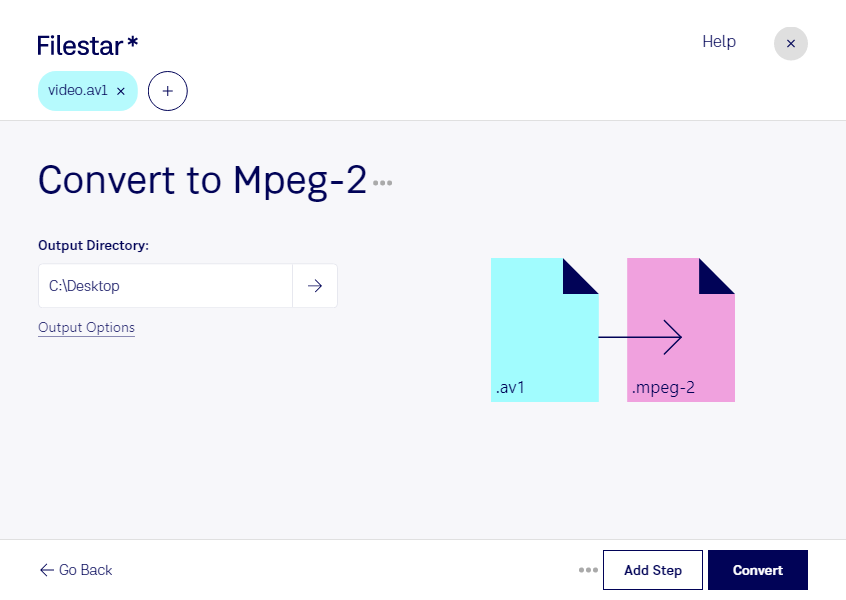
Convert av1 to mpeg-2

  1. Download and install the latest version of Filestar.

  2. Right click on one or more Av1 file(s) on your desktop and select Convert with Filestar.

  3. Type convert to mpeg-2 in the search box.

  4. Press Convert.

Or let an AI agent do it: filestarcli -i file.av1 -c "convert to mpeg-2" (how).

convert av1 to mpeg-2

Let your AI agent convert AV1 to MPEG-2

Claude Code, Codex, Cursor and other agents can do this on your computer with Filestar. Your files stay on your machine.

Install Filestar and add it to your agents:

npm install -g filestar
filestarcli agent install

Then ask your agent:

“Convert the AV1 files in my Downloads folder to MPEG-2”

Or run it yourself:

filestarcli -i file.av1 -c "convert to mpeg-2"

Runs on your computer, so your files stay on it. Works on Windows, macOS and Linux. 50 free conversions with the npm install, no account needed.

Can my AI agent convert AV1 to MPEG-2?

Yes. Install the Filestar CLI with npm install -g filestar and your agent can run filestarcli -i file.av1 -c "convert to mpeg-2" on your computer, so your files stay on it.

Using Filestar With AI Agents · Download SKILL.md

What is the difference between .av1 and .mpeg-2?

Extension
.av1
.mpeg-2
Format
Binary
Binary
Category
Video
Video
Developer
Alliance for Open Media
Motion Pictures Expert Group
Description
An open, royalty-free video coding format designed for video transmissions over the Internet.
Video file encoded with the MPEG-2 codec, which is mainly used for over-the-air, satellite, and cable digital TV signals and DVD video; uses lossy compression for audio and video to significantly reduce the size of the video data; not as efficient as the H.264 format.
MIME Type
video/av01
video/mpeg

Convert Av1 To Mpeg-2 Today

Get started within minutes

Are you a professional who needs to convert AV1 to MPEG-2? Look no further than Filestar. Our powerful software allows for bulk conversion operations, making it easy to convert large numbers of video files quickly and efficiently.

Filestar runs on both Windows and OSX, ensuring that no matter what platform you use, our software will work for you. Our software is not an online converter, meaning that you can convert your files locally on your computer. This ensures that your files remain safe and secure.

But why might you need to convert AV1 to MPEG-2? Well, there are many reasons. For example, MPEG-2 is a widely used format in the video production industry and is often required for broadcast purposes. By converting your AV1 files to MPEG-2, you can ensure that your videos are compatible with a wide range of devices and platforms.

Additionally, converting your files locally on your computer is more safe than in the cloud. When you use an online converter, you run the risk of your files being accessed by unauthorized parties. With Filestar, you can rest assured that your files are safe and secure.

In conclusion, if you need to convert AV1 to MPEG-2, Filestar is the software for you. With our bulk conversion feature, cross-platform compatibility, and local processing capabilities, we make it easy to convert your video files quickly and safely. Get in touch with us today to learn more.