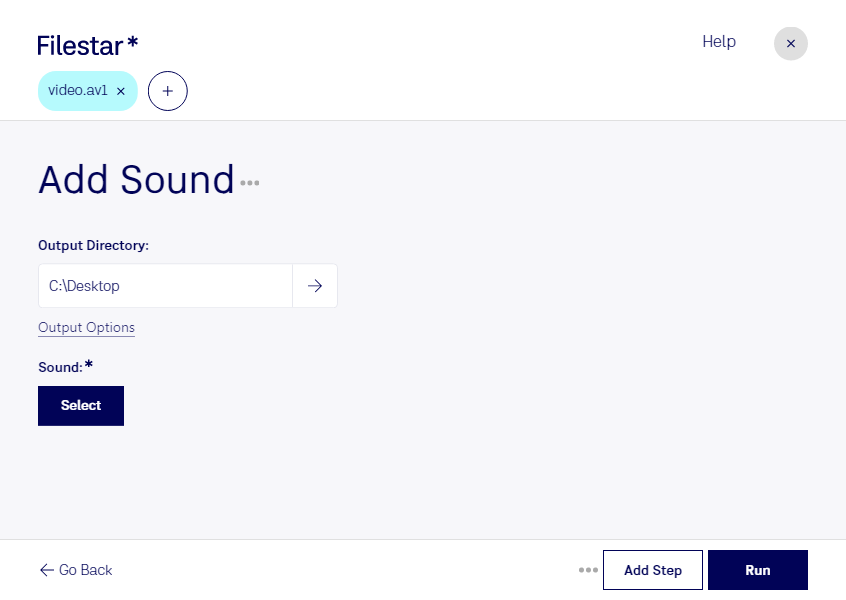
Add av1 sound

  1. Download and install the latest version of Filestar.

  2. Right click on one or more Av1 file(s) on your desktop and select Convert with Filestar.

  3. Type add sound in the search box.

  4. Press Run.

Or let an AI agent do it: filestarcli -i file.av1 -c "add sound" (how).

add av1 sound

Let your AI agent add AV1 sound

Claude Code, Codex, Cursor and other agents can do this on your computer with Filestar. Your files stay on your machine.

Install Filestar and add it to your agents:

npm install -g filestar
filestarcli agent install

Then ask your agent:

“Use Filestar to add AV1 sound in my Downloads folder”

Or run it yourself:

filestarcli -i file.av1 -c "add sound"

Runs on your computer, so your files stay on it. Works on Windows, macOS and Linux. 50 free conversions with the npm install, no account needed.

Can my AI agent add AV1 sound?

Yes. Install the Filestar CLI with npm install -g filestar and your agent can run filestarcli -i file.av1 -c "add sound" on your computer, so your files stay on it.

Using Filestar With AI Agents · Download SKILL.md

What is .av1?

Extension
.av1
Format
Binary
Category
Video
Developer
Alliance for Open Media
Description
An open, royalty-free video coding format designed for video transmissions over the Internet.
MIME Type
video/av01

Add Av1 Sound Today

Get started within minutes

Are you looking to add sound to your AV1 video files? With Filestar, you can do just that. Our software allows for bulk conversion and processing of video files, including the ability to add sound to AV1 files.

Filestar runs on both Windows and OSX, making it easy for professionals in various industries to utilize our software. For example, video editors can use Filestar to add sound to their AV1 files before finalizing their projects. This can be especially useful for those working on large-scale projects with multiple video files.

One of the benefits of using Filestar is that all conversions and processing are done locally on your computer. This means that you don't need to worry about uploading your sensitive files to the cloud, making it a safer option for professionals who deal with confidential information.

In addition to adding sound to AV1 files, Filestar offers a wide range of conversion and processing options for various file types. And with our bulk/batch conversion feature, you can save time by processing multiple files at once.

Get started with Filestar today and experience the ease and convenience of converting and processing your video files locally on your computer. Contact us to learn more or try our software for free.