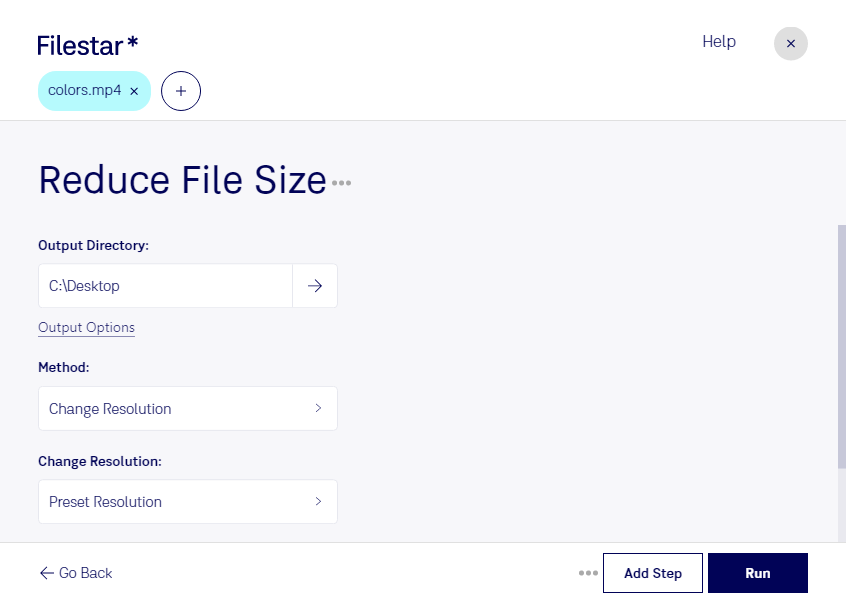
Are you tired of large MP4 files taking up valuable storage space? Do you need to send a video file but it's too big to attach to an email? Filestar's software can help you reduce MP4 file size quickly and easily.
With Filestar, you can compress and convert your MP4 files locally on your computer. This means you don't need to worry about slow internet connections or the security of your files in the cloud. Plus, our software allows for bulk/batch conversions, saving you time and effort.
Reduce MP4 file size can be useful for professionals in a variety of industries. For example, videographers and filmmakers often need to send large video files to clients or collaborators. By compressing their MP4 files, they can easily share their work without sacrificing quality. Similarly, businesses that use video for marketing or training purposes can benefit from reducing file sizes to save storage space and make sharing easier.
Filestar's software runs on both Windows and OSX, so no matter what operating system you use, you can take advantage of our MP4 compression and conversion capabilities. Our user-friendly interface makes it easy to get started, even if you're not a tech expert.
Don't let large MP4 files slow you down. Try Filestar's software today and see how easy it is to reduce MP4 file size. Contact us to learn more or download our software now.