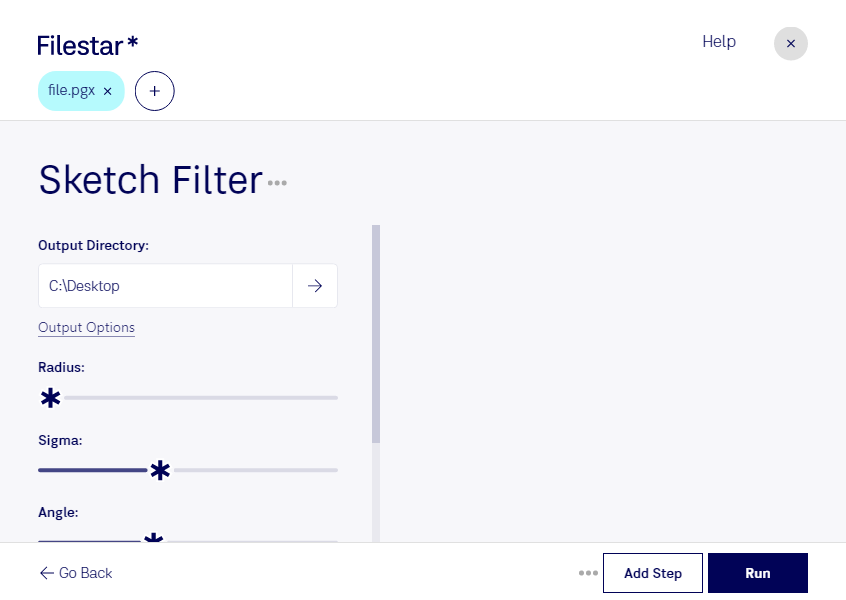
Ladda ner och installera den senaste versionen av Filestar.
Högerklicka på en eller flera Pgx-filer på ditt skrivbord och välj Convert with Filestar.
Skriv sketch filter i sökrutan.
Tryck på Run.
Or let an AI agent do it: filestarcli -i photo.pgx -c "sketch filter" (how).
Let your AI agent skissfilter för PGX
Claude Code, Codex, Cursor and other agents can do this on your computer with Filestar. Your files stay on your machine.
Install Filestar and add it to your agents:
npm install -g filestar
filestarcli agent install
Then ask your agent:
“Use Filestar to skissfilter för PGX in my Downloads folder”
Or run it yourself:
filestarcli -i photo.pgx -c "sketch filter"
Runs on your computer, so your files stay on it. Works on Windows, macOS and Linux. 50 free conversions with the npm install, no account needed.
Can my AI agent skissfilter för PGX?
Yes. Install the Filestar CLI with npm install -g filestar and your agent can run filestarcli -i photo.pgx -c "sketch filter" on your computer, so your files stay on it.
Filformatet PGX är kopplat till Hopedot VOS, en programvara för virtuella operativsystem som gör det möjligt att köra en separat operativmiljö på datorn, likt virtualiseringstekniker. En PGX-fil innehåller vanligtvis data som rör Hopedot VOS-miljön, till exempel inställningar, program och annan användarspecifik information.