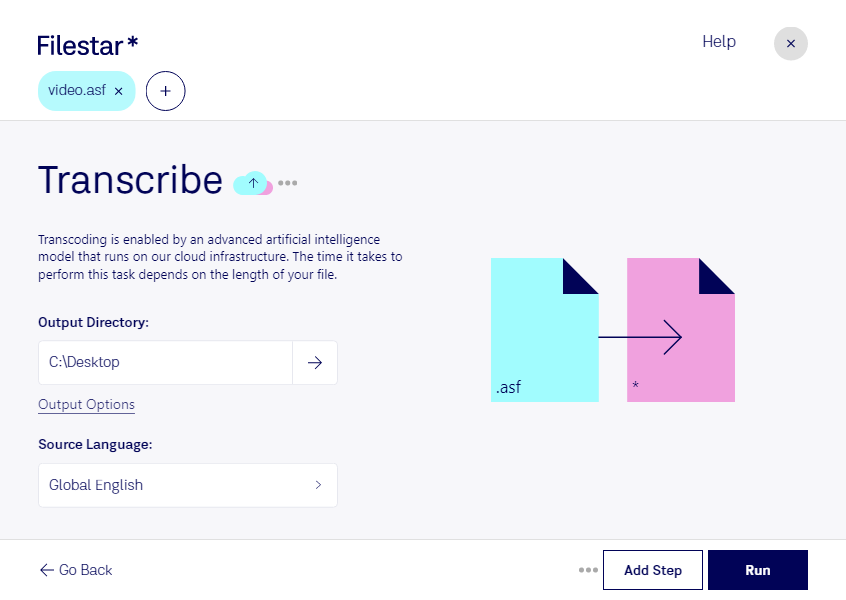
Ladda ner och installera den senaste versionen av Filestar.
Högerklicka på en eller flera Asf-filer på ditt skrivbord och välj Convert with Filestar.
Skriv transcribe i sökrutan.
Tryck på Run.
Or let an AI agent do it: filestarcli -i file.asf -c "transcribe" (how).
Let your AI agent transkribera ASF
Claude Code, Codex, Cursor and other agents can do this on your computer with Filestar. Your files stay on your machine.
Install Filestar and add it to your agents:
npm install -g filestar
filestarcli agent install
Then ask your agent:
“Use Filestar to transkribera ASF in my Downloads folder”
Or run it yourself:
filestarcli -i file.asf -c "transcribe"
Runs on your computer, so your files stay on it. Works on Windows, macOS and Linux. 50 free conversions with the npm install, no account needed.
Can my AI agent transkribera ASF?
Yes. Install the Filestar CLI with npm install -g filestar and your agent can run filestarcli -i file.asf -c "transcribe" on your computer, so your files stay on it.
En ASF-fil är en mediefil som lagras i Advanced Systems Format (ASF), ett proprietärt behållarformat för video och ljud. Den innehåller ljud- och videodata samt valfria metadata, till exempel titel, upphovsperson och bibliografiska uppgifter om upphovsrätt. ASF-filer har utvecklats av Microsoft främst för strömmande medier.