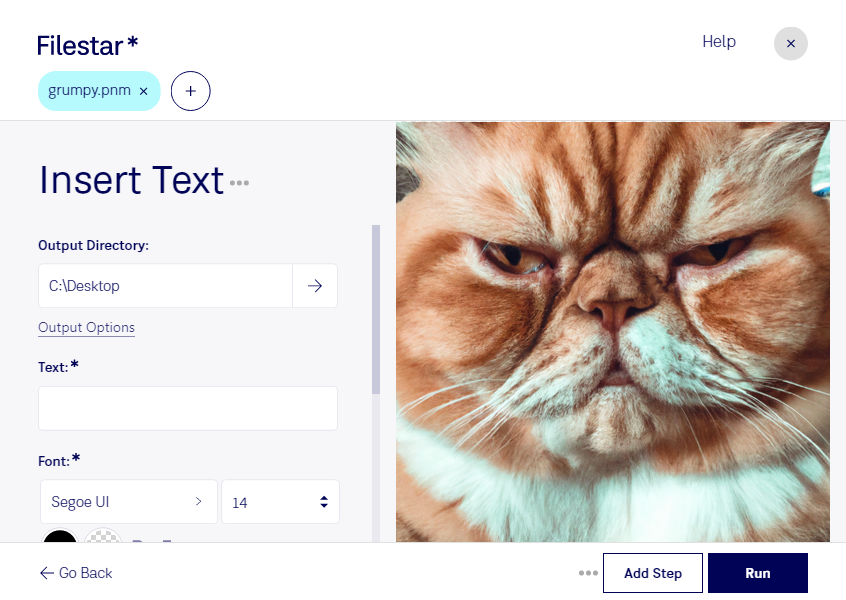
Haz clic derecho en uno o más archivos Pnm de tu escritorio y selecciona Convert with Filestar.
Escribe insert text en el cuadro de búsqueda.
Pulsa Run.
Or let an AI agent do it: filestarcli -i photo.pnm -c "insert text" (how).
Let your AI agent insertar texto en PNM
Claude Code, Codex, Cursor and other agents can do this on your computer with Filestar. Your files stay on your machine.
Install Filestar and add it to your agents:
npm install -g filestar
filestarcli agent install
Then ask your agent:
“Use Filestar to insertar texto en PNM in my Downloads folder”
Or run it yourself:
filestarcli -i photo.pnm -c "insert text"
Runs on your computer, so your files stay on it. Works on Windows, macOS and Linux. 50 free conversions with the npm install, no account needed.
Can my AI agent insertar texto en PNM?
Yes. Install the Filestar CLI with npm install -g filestar and your agent can run filestarcli -i photo.pnm -c "insert text" on your computer, so your files stay on it.
El formato de archivo PNM (Portable Any Map Image) es un subconjunto del formato más amplio Netpbm, diseñado para almacenar diversos tipos de imágenes digitales. Funciona como un término general que engloba tres tipos específicos de imágenes en escala de grises, en color y en blanco y negro, representados por los formatos PBM (Portable Bitmap), PGM (Portable Graymap) y PPM (Portable Pixmap), respectivamente. Los archivos PNM se caracterizan por su sencillez y facilidad de conversión a otros formatos de imagen.