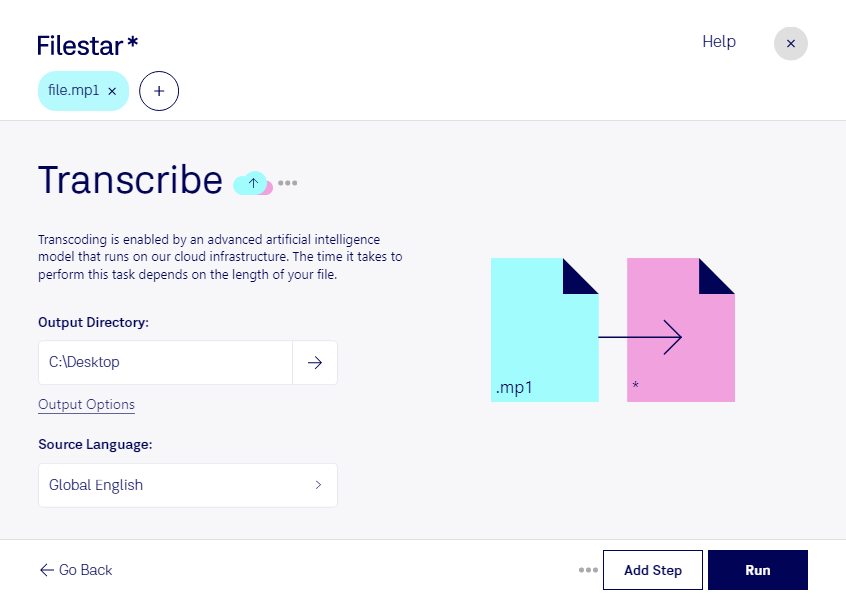
Haz clic derecho en uno o más archivos Mp1 de tu escritorio y selecciona Convert with Filestar.
Escribe transcribe en el cuadro de búsqueda.
Pulsa Run.
Or let an AI agent do it: filestarcli -i file.mp1 -c "transcribe" (how).
Let your AI agent transcribir MP1
Claude Code, Codex, Cursor and other agents can do this on your computer with Filestar. Your files stay on your machine.
Install Filestar and add it to your agents:
npm install -g filestar
filestarcli agent install
Then ask your agent:
“Use Filestar to transcribir MP1 in my Downloads folder”
Or run it yourself:
filestarcli -i file.mp1 -c "transcribe"
Runs on your computer, so your files stay on it. Works on Windows, macOS and Linux. 50 free conversions with the npm install, no account needed.
Can my AI agent transcribir MP1?
Yes. Install the Filestar CLI with npm install -g filestar and your agent can run filestarcli -i file.mp1 -c "transcribe" on your computer, so your files stay on it.
MPEG-1 Audio Layer I, comúnmente abreviado como MP1, es uno de los tres formatos de audio incluidos en el estándar MPEG-1. Es una versión deliberadamente simplificada de MPEG-1 Audio Layer II (MP2), creada para aplicaciones en las que se podía tolerar una menor eficiencia de compresión a cambio de un algoritmo menos complejo que pudiera ejecutarse con requisitos de hardware más sencillos. Aunque es compatible con la mayoría de los reproductores multimedia, el códec se considera en gran medida obsoleto y ha sido sustituido por MP2 o MP3.