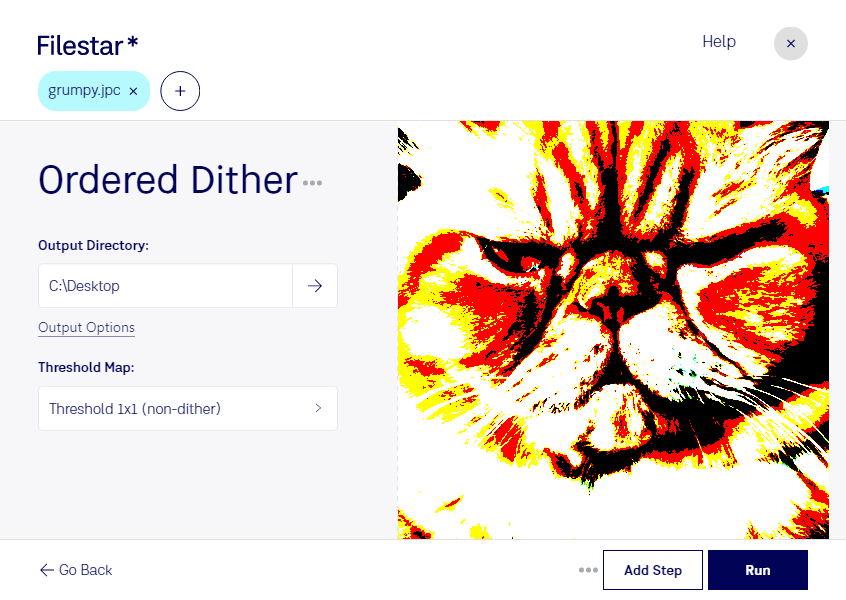
Lade die neueste Version von Filestar herunter und installiere sie.
Klicke auf deinem Desktop mit der rechten Maustaste auf eine oder mehrere Jpc-Dateien und wähle Convert with Filestar.
Gib ordered dither in das Suchfeld ein.
Klicke auf Run.
Or let an AI agent do it: filestarcli -i photo.jpc -c "ordered dither" (how).
Let your AI agent JPC geordnetes dithering
Claude Code, Codex, Cursor and other agents can do this on your computer with Filestar. Your files stay on your machine.
Install Filestar and add it to your agents:
npm install -g filestar
filestarcli agent install
Then ask your agent:
“Use Filestar to JPC geordnetes dithering in my Downloads folder”
Or run it yourself:
filestarcli -i photo.jpc -c "ordered dither"
Runs on your computer, so your files stay on it. Works on Windows, macOS and Linux. 50 free conversions with the npm install, no account needed.
Can my AI agent JPC geordnetes dithering?
Yes. Install the Filestar CLI with npm install -g filestar and your agent can run filestarcli -i photo.jpc -c "ordered dither" on your computer, so your files stay on it.
Bildformat, das die fortschrittliche Wavelet-Komprimierung von JPEG 2000 nutzt; unterstützt Farbtiefen von 8, 24 und 32 Bit pro Pixel; unterstützt außerdem Graustufen sowie die Farbräume RGB, YCbCr, XYZ und Lab.