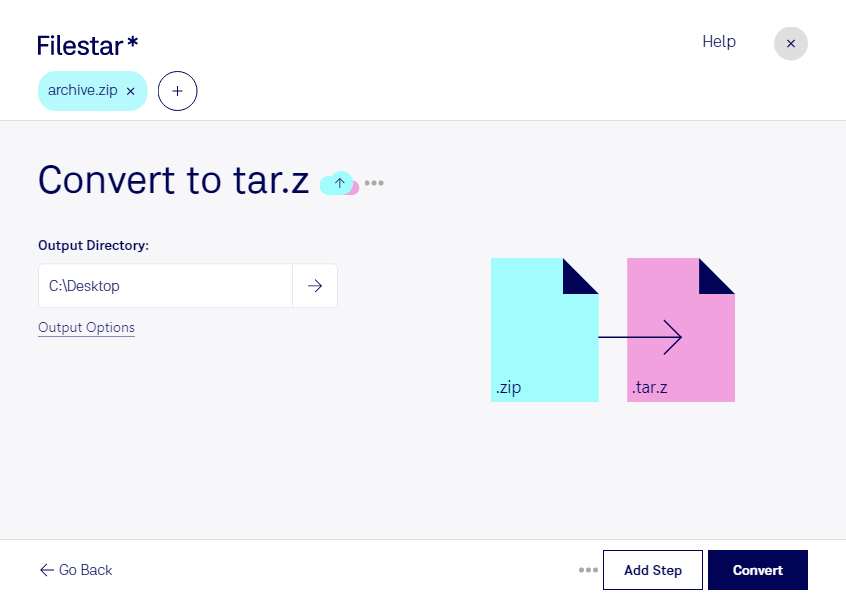
Convert zip to tar.z

  1. Download and install the latest version of Filestar.

  2. Right click on one or more Zip file(s) on your desktop and select Convert with Filestar.

  3. Type convert to tar.z in the search box.

  4. Press Convert.

Or let an AI agent do it: filestarcli -i file.zip -c "convert to tar.z" (how).

convert zip to tar.z

Let your AI agent convert ZIP to TAR.Z

Claude Code, Codex, Cursor and other agents can do this with Filestar. This skill runs in Filestar's cloud and needs a paid Filestar plan.

Install Filestar and add it to your agents:

npm install -g filestar
filestarcli agent install

Then ask your agent:

“Convert the ZIP files in my Downloads folder to TAR.Z”

Or run it yourself:

filestarcli -i file.zip -c "convert to tar.z"

Runs in Filestar's cloud and needs a Filestar plan.

Can my AI agent convert ZIP to TAR.Z?

Yes, with a paid Filestar plan: this skill runs in Filestar's cloud. Install the Filestar CLI with npm install -g filestar and your agent can run filestarcli -i file.zip -c "convert to tar.z".

Using Filestar With AI Agents · Download SKILL.md

What is the difference between .zip and .tar.z?

Extension
.zip
.tar.z
Format
Binary
Binary
Category
Compressed
Compressed
Developer
Phil Katz
The GNU Project
Description
A ZIP file is an archive that contains one or more files compressed or "zipped" using Zip compression. It stores files separately from each other allowing the files to be compressed using different methods and extracted without compressing or decompressing the entire archive.
A TAR.Z file is a Unix TAR archive compressed with a standard Unix compression algorithm to save disk space. It contains one or more compressed files. The file is commonly used on Unix operating systems to archive groups of files.
MIME Type
application/zip
application/x-tarz

Convert Zip To Tar.z Today

Get started within minutes

Are you tired of manually converting your Zipped Files to Zipped Tarball Files one by one? Look no further than Filestar's file conversion software. Our software allows for bulk conversion/operations, saving you time and effort.

Filestar's software runs on both Windows and OSX, making it accessible to a wide range of professionals. For example, web developers who need to compress and archive web files for transfer or storage. Another example is graphic designers who need to compress and archive large image files for backup or sharing.

But why convert/ process locally on your computer? By using Filestar's software, you can avoid the potential risks of uploading sensitive files to the cloud. Local processing is a safer option, especially for businesses that handle confidential data.

In conclusion, whether you are a web developer, graphic designer, or any other professional looking to convert Zipped Files to Zipped Tarball Files, Filestar's file conversion software has got you covered. Try it out today and see how easy and efficient your file conversion process can be. Don't hesitate to reach out to us if you have any questions or concerns.