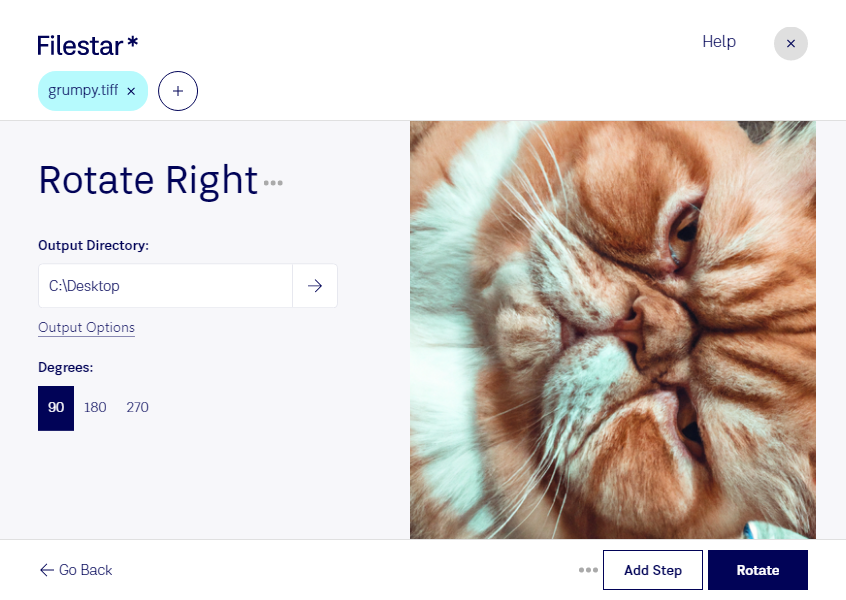
Rotate tiff right

  1. Download and install the latest version of Filestar.

  2. Right click on one or more Tiff file(s) on your desktop and select Convert with Filestar.

  3. Type rotate right in the search box.

  4. Press Rotate.

Or let an AI agent do it: filestarcli -i photo.tiff -c "rotate right" (how).

rotate tiff right

Let your AI agent rotate TIFF right

Claude Code, Codex, Cursor and other agents can do this on your computer with Filestar. Your files stay on your machine.

Install Filestar and add it to your agents:

npm install -g filestar
filestarcli agent install

Then ask your agent:

“Use Filestar to rotate TIFF right in my Downloads folder”

Or run it yourself:

filestarcli -i photo.tiff -c "rotate right"

Runs on your computer, so your files stay on it. Works on Windows, macOS and Linux. 50 free conversions with the npm install, no account needed.

Can my AI agent rotate TIFF right?

Yes. Install the Filestar CLI with npm install -g filestar and your agent can run filestarcli -i photo.tiff -c "rotate right" on your computer, so your files stay on it.

Using Filestar With AI Agents · Download SKILL.md

What is .tiff?

Extension
.tiff
Format
Binary
Category
Raster Image
Developer
Adobe Systems
Description
A TIFF file is a graphics container that stores raster images. It may contain high-quality graphics that support color depths from 1 to 24-bit and supports both lossy and lossless compression. TIFF files also support multiple layers and pages.
MIME Type
image/tiff

Rotate Tiff Right Today

Get started within minutes

Are you tired of manually rotating your TIFF files one by one? With Filestar's batch processing software, you can easily rotate TIFF files right in bulk, saving you valuable time and effort.

Filestar is compatible with both Windows and OSX, making it a versatile solution for professionals in a range of industries. For example, architects and engineers often work with TIFF files when designing blueprints or schematics. By being able to rotate TIFF files right quickly and efficiently, they can improve their workflow and productivity.

But why choose to convert and process locally on your computer with Filestar? Unlike cloud-based solutions, local processing ensures your files remain secure and private. You don't have to worry about sensitive information being stored on a third-party server or being intercepted during transmission.

In addition to rotating TIFF files right, Filestar offers a range of other file conversion and processing features. From image editing to PDF conversion, our software can handle it all. And with our intuitive drag-and-drop interface, you don't need to be a tech expert to use it.

Don't let manual file processing slow you down. Try Filestar's batch processing software today and see how it can improve your workflow and productivity.