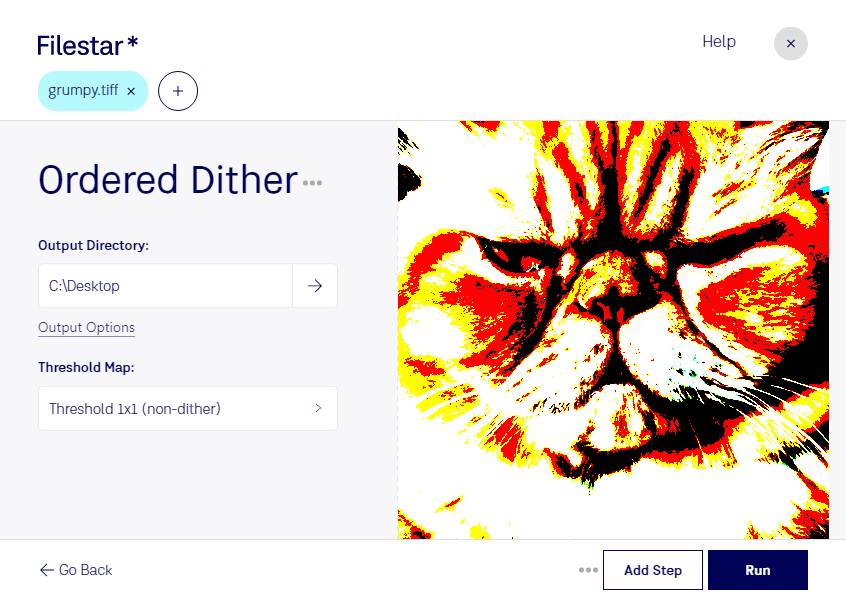
Ordered dither tiff

  1. Download and install the latest version of Filestar.

  2. Right click on one or more Tiff file(s) on your desktop and select Convert with Filestar.

  3. Type ordered dither in the search box.

  4. Press Run.

Or let an AI agent do it: filestarcli -i photo.tiff -c "ordered dither" (how).

ordered dither tiff

Let your AI agent ordered dither TIFF

Claude Code, Codex, Cursor and other agents can do this on your computer with Filestar. Your files stay on your machine.

Install Filestar and add it to your agents:

npm install -g filestar
filestarcli agent install

Then ask your agent:

“Use Filestar to ordered dither TIFF in my Downloads folder”

Or run it yourself:

filestarcli -i photo.tiff -c "ordered dither"

Runs on your computer, so your files stay on it. Works on Windows, macOS and Linux. 50 free conversions with the npm install, no account needed.

Can my AI agent ordered dither TIFF?

Yes. Install the Filestar CLI with npm install -g filestar and your agent can run filestarcli -i photo.tiff -c "ordered dither" on your computer, so your files stay on it.

Using Filestar With AI Agents · Download SKILL.md

What is .tiff?

Extension
.tiff
Format
Binary
Category
Raster Image
Developer
Adobe Systems
Description
A TIFF file is a graphics container that stores raster images. It may contain high-quality graphics that support color depths from 1 to 24-bit and supports both lossy and lossless compression. TIFF files also support multiple layers and pages.
MIME Type
image/tiff

Ordered Dither Tiff Today

Get started within minutes

Ordered Dither TIFF: Convert and Process Your Images with Precision

Filestar's file conversion and processing software now supports ordered dither TIFF, a raster image file format that brings precision to your images. With Filestar, you can convert your TIFF files in bulk, saving you time and effort.

Our software is available for both Windows and OSX, so you can process your files locally on your computer, without having to worry about internet connection or cloud-based processing. This ensures that your files are processed safely and securely, without the risk of data breaches or security breaches.

Ordered dither TIFF is a powerful tool for professionals who need to achieve the highest level of precision in their images. For example, photographers who need to print their images in high resolution or graphic designers who need to create images with sharp edges and fine details can benefit from using ordered dither TIFF.

With Filestar's ordered dither TIFF conversion and processing capabilities, you can achieve the highest level of precision in your images. Our software allows you to convert and process your files in bulk, saving you time and effort. You can also customize your conversion and processing settings to achieve the desired results.

In conclusion, Filestar's ordered dither TIFF conversion and processing capabilities allow you to achieve precision and accuracy in your images. Our software is safe, easy-to-use, and available for both Windows and OSX. Try it today and see the difference it can make in your work.