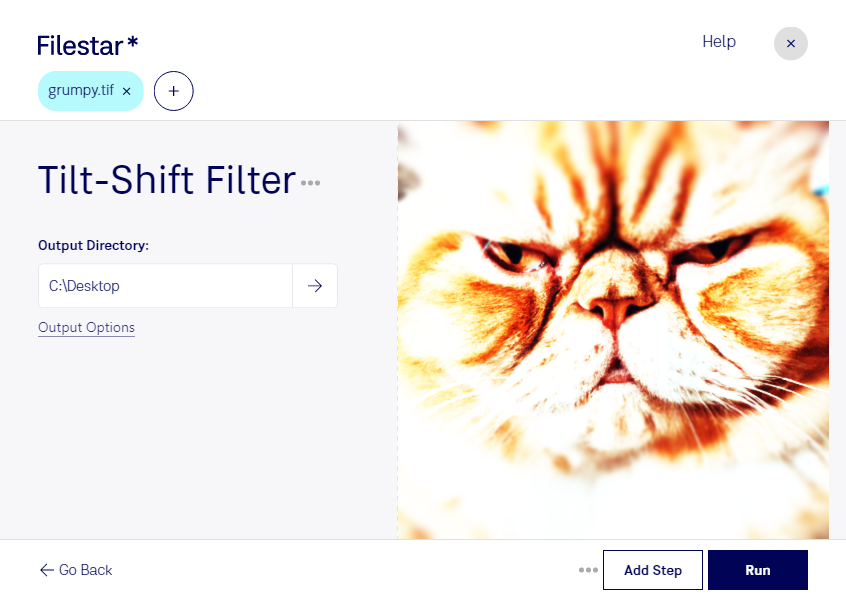
Tilt-shift tif filter

  1. Download and install the latest version of Filestar.

  2. Right click on one or more Tif file(s) on your desktop and select Convert with Filestar.

  3. Type tilt-shift filter in the search box.

  4. Press Run.

Or let an AI agent do it: filestarcli -i photo.tif -c "tilt-shift filter" (how).

tilt-shift tif filter

Let your AI agent tilt-shift TIF filter

Claude Code, Codex, Cursor and other agents can do this on your computer with Filestar. Your files stay on your machine.

Install Filestar and add it to your agents:

npm install -g filestar
filestarcli agent install

Then ask your agent:

“Use Filestar to tilt-shift TIF filter in my Downloads folder”

Or run it yourself:

filestarcli -i photo.tif -c "tilt-shift filter"

Runs on your computer, so your files stay on it. Works on Windows, macOS and Linux. 50 free conversions with the npm install, no account needed.

Can my AI agent tilt-shift TIF filter?

Yes. Install the Filestar CLI with npm install -g filestar and your agent can run filestarcli -i photo.tif -c "tilt-shift filter" on your computer, so your files stay on it.

Using Filestar With AI Agents · Download SKILL.md

What is .tif?

Extension
.tif
Format
Binary
Category
Raster Image
Developer
Adobe.
Description
A TIF file is an image file saved in a high-quality graphics format. It is often used for storing images with many colors, typically digital photos, and includes support for layers and multiple pages.
MIME Type
image/tiff

Tilt-Shift Tif Filter Today

Get started within minutes

Are you a professional photographer, graphic designer, or architect looking for a way to convert and process your raster images quickly and easily? Look no further than Filestar's Tilt-Shift TIF Filter. This powerful software allows you to perform bulk/batch conversions and operations on your TIF files, all from the comfort of your own computer.

With Filestar, you can rest easy knowing that your sensitive files are being converted and processed locally on your computer, rather than in the cloud. This means that your data is more secure, and you have more control over the conversion process.

Whether you're looking to convert your TIF files to JPEG, PNG, or any other popular image format, Filestar's Tilt-Shift TIF Filter has got you covered. And with support for both Windows and OSX, you can use the software no matter which operating system you prefer.

So why might you need to use a tilt-shift TIF filter? Well, if you're a professional photographer, you might use it to create the illusion of a miniature world in your photos. Or if you're a graphic designer, you might use it to create unique and eye-catching designs. And if you're an architect, you might use it to create realistic 3D models of your designs.

No matter your profession or industry, Filestar's Tilt-Shift TIF Filter is a must-have tool for anyone who works with raster images. Try it out today and see how it can improve your workflow and productivity.