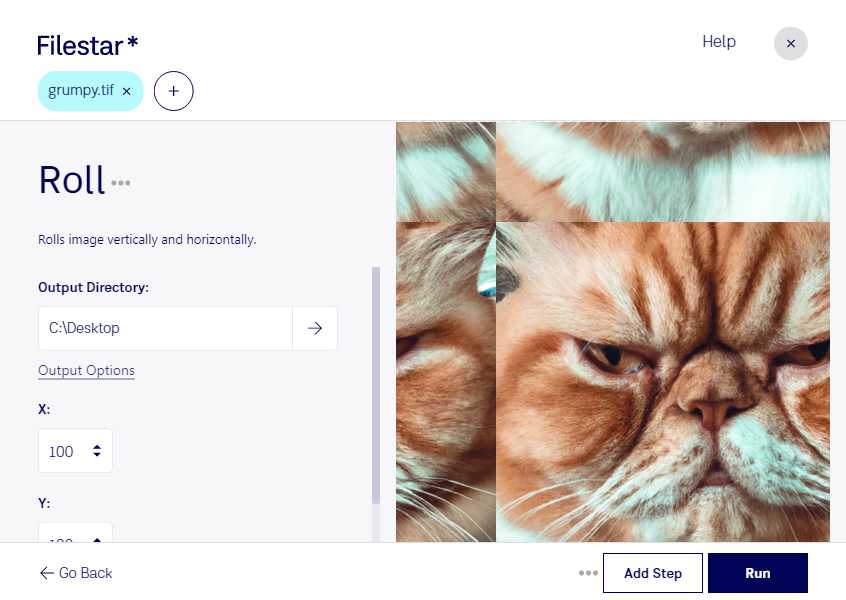
Roll TIF is a powerful software tool for converting and processing TIF files in bulk. With Filestar's Roll TIF software, you can easily convert large numbers of TIF files to other formats or perform batch operations on them quickly and efficiently.
Whether you're a professional photographer, graphic designer, or simply someone who works with large numbers of images, Roll TIF can help you streamline your workflow and save time. By converting your TIF files to other formats, you can ensure that they are compatible with a wide range of software applications and devices.
One of the key benefits of using Roll TIF is that it runs locally on your computer, rather than in the cloud. This means that your files are processed securely and efficiently, without the need for an internet connection. This is particularly important for professionals who work with sensitive or confidential data, as it ensures that your files remain safe and secure.
Filestar's Roll TIF software is available for both Windows and OSX, making it accessible to a wide range of users. Whether you're working on a PC or a Mac, you can take advantage of this powerful software tool to convert and process your TIF files quickly and easily.
Overall, if you're looking for a reliable and efficient way to convert and process your TIF files, Roll TIF is an excellent choice. With its bulk conversion and batch operation features, as well as its local processing capabilities, this software tool is ideal for professionals and casual users alike. Contact us today to learn more about how Roll TIF can help you streamline your workflow and save time.