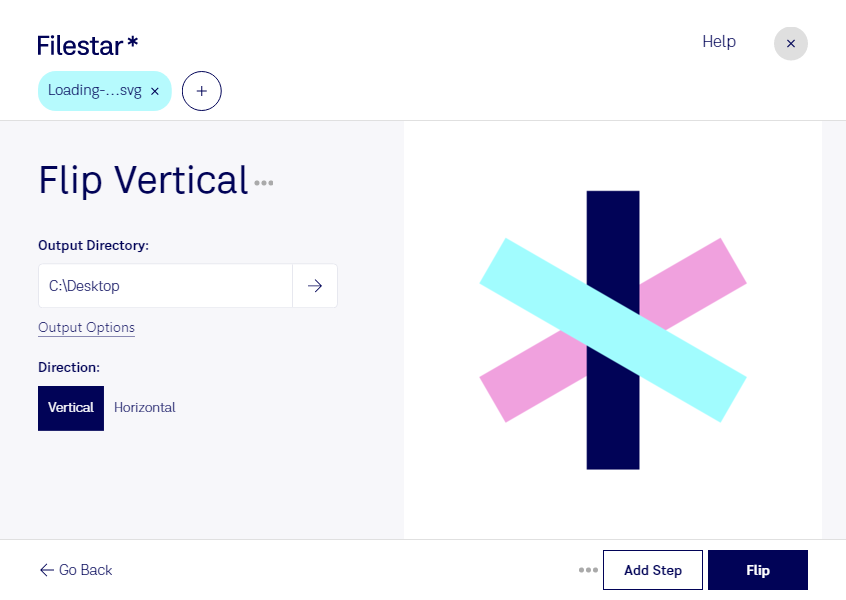
Flip svg vertical

  1. Download and install the latest version of Filestar.

  2. Right click on one or more Svg file(s) on your desktop and select Convert with Filestar.

  3. Type flip vertical in the search box.

  4. Press Flip.

Or let an AI agent do it: filestarcli -i photo.svg -c "flip vertical" (how).

flip svg vertical

Let your AI agent flip SVG vertical

Claude Code, Codex, Cursor and other agents can do this on your computer with Filestar. Your files stay on your machine.

Install Filestar and add it to your agents:

npm install -g filestar
filestarcli agent install

Then ask your agent:

“Use Filestar to flip SVG vertical in my Downloads folder”

Or run it yourself:

filestarcli -i photo.svg -c "flip vertical"

Runs on your computer, so your files stay on it. Works on Windows, macOS and Linux. 50 free conversions with the npm install, no account needed.

Can my AI agent flip SVG vertical?

Yes. Install the Filestar CLI with npm install -g filestar and your agent can run filestarcli -i photo.svg -c "flip vertical" on your computer, so your files stay on it.

Using Filestar With AI Agents · Download SKILL.md

What is .svg?

Extension
.svg
Format
Text
Category
Vector Image
Developer
Adobe Systems
Description
An SVG file is a graphics file that uses a two-dimensional vector graphic format created by the World Wide Web Consortium (W3C). It describes images using a text format that is based on XML. SVG files are developed as a standard format for displaying vector graphics on the web.
MIME Type
image/svg+xml

Flip Svg Vertical Today

Get started within minutes

Flip SVG Vertical with Filestar Filestar is the go-to software for local file conversion and processing. With Filestar, you can easily flip SVG files vertically and perform bulk/batch operations on them. This is especially useful for professionals in graphic design, web development, and other industries where vector image files are commonly used.

Filestar runs on both Windows and OSX, making it accessible to a wide range of users. Whether you're working on a Mac or PC, you can trust Filestar to provide a reliable and efficient solution for your file conversion needs.

Converting and processing files locally on your computer is also much safer than doing so in the cloud. With Filestar, you can rest assured that your files are secure and protected. Plus, with the ability to perform bulk/batch operations, you can save time and increase efficiency in your workflow.

In addition to flipping SVG files vertically, Filestar offers a wide range of other features and characteristics for various file types. From image and audio files to documents and spreadsheets, Filestar has you covered. And with its user-friendly interface, you don't have to be a tech expert to use it.

So if you're looking for a reliable, efficient, and safe solution for your file conversion and processing needs, look no further than Filestar. Try it out today and see the difference for yourself.