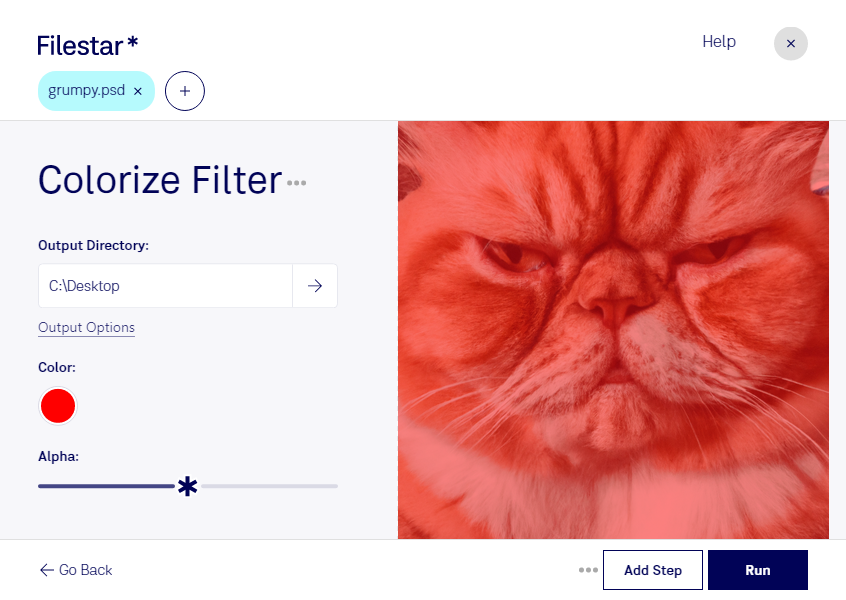
Colorize psd filter

  1. Download and install the latest version of Filestar.

  2. Right click on one or more Psd file(s) on your desktop and select Convert with Filestar.

  3. Type colorize filter in the search box.

  4. Press Run.

Or let an AI agent do it: filestarcli -i photo.psd -c "colorize filter" (how).

colorize psd filter

Let your AI agent colorize PSD filter

Claude Code, Codex, Cursor and other agents can do this on your computer with Filestar. Your files stay on your machine.

Install Filestar and add it to your agents:

npm install -g filestar
filestarcli agent install

Then ask your agent:

“Use Filestar to colorize PSD filter in my Downloads folder”

Or run it yourself:

filestarcli -i photo.psd -c "colorize filter"

Runs on your computer, so your files stay on it. Works on Windows, macOS and Linux. 50 free conversions with the npm install, no account needed.

Can my AI agent colorize PSD filter?

Yes. Install the Filestar CLI with npm install -g filestar and your agent can run filestarcli -i photo.psd -c "colorize filter" on your computer, so your files stay on it.

Using Filestar With AI Agents · Download SKILL.md

What is .psd?

Extension
.psd
Format
Binary
Category
Raster Image
Developer
Adobe Systems
Description
A PSD file is an image file created by Adobe Photoshop, a professional image-editing program often used to enhance digital photos and create web graphics. It is the native format used to save files in Photoshop. PSD files may include image layers, adjustment layers, layer masks, annotations, file information, keywords, and other Photoshop-specific elements. They are commonly created and shared among graphics professionals.
MIME Type
image/vnd.adobe.photoshop

Colorize Psd Filter Today

Get started within minutes

Are you tired of manually colorizing your raster images one by one? Look no further than Colorize PSD Filter from Filestar. Our software allows for bulk conversion and operations, making it easy to colorize your PSD files in just a few clicks.

Whether you're a graphic designer, photographer, or work in another profession that involves working with raster images, Colorize PSD Filter can save you time and effort. Rather than spending hours colorizing each individual image, our software allows you to process them in bulk, freeing up your time to focus on other tasks.

And with Filestar, you can trust that your conversions and processing are done locally on your computer, rather than in the cloud. This means that your files are kept safe and secure, and you don't have to worry about potential privacy breaches or data loss.

So why wait? Download Colorize PSD Filter today and start colorizing your PSD files in bulk with ease. Filestar runs on both Windows and OSX, making it accessible to professionals across a variety of industries.