Reduce png file size

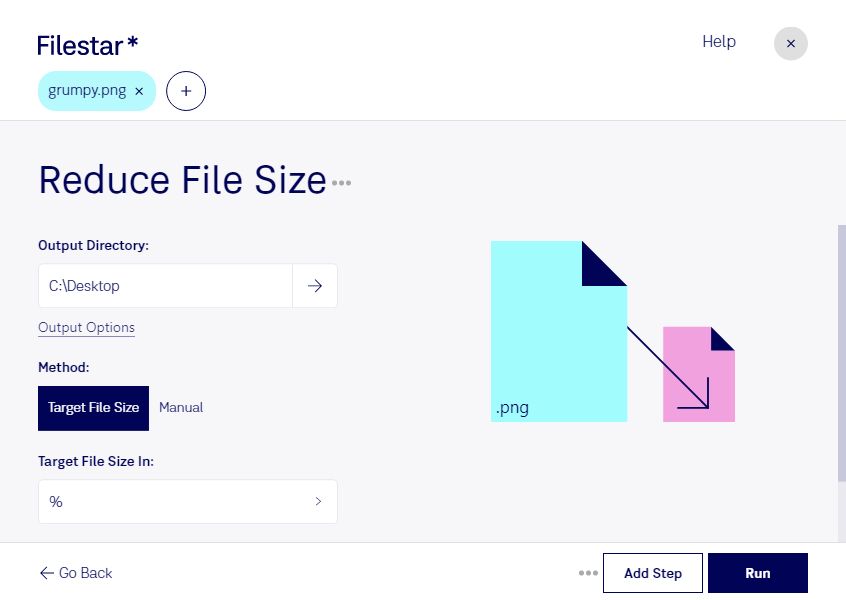
  1. Download and install the latest version of Filestar.

  2. Right click on one or more Png file(s) on your desktop and select Convert with Filestar.

  3. Type reduce file size in the search box.

  4. Press Run.

Or let an AI agent do it: filestarcli -i photo.png -c "reduce file size" (how).

reduce png file size

Let your AI agent reduce PNG file size

Claude Code, Codex, Cursor and other agents can do this on your computer with Filestar. Your files stay on your machine.

Install Filestar and add it to your agents:

npm install -g filestar
filestarcli agent install

Then ask your agent:

“Use Filestar to reduce PNG file size in my Downloads folder”

Or run it yourself:

filestarcli -i photo.png -c "reduce file size"

Runs on your computer, so your files stay on it. Works on Windows, macOS and Linux. 50 free conversions with the npm install, no account needed.

Can my AI agent reduce PNG file size?

Yes. Install the Filestar CLI with npm install -g filestar and your agent can run filestarcli -i photo.png -c "reduce file size" on your computer, so your files stay on it.

Using Filestar With AI Agents · Download SKILL.md

What is .png?

Extension
.png
Format
Binary
Category
Raster Image
Developer
PNG Development Group
Description
A PNG file is an image file stored in the Portable Network Graphic (PNG) format. It contains a bitmap of indexed colors and uses lossless compression, similar to a .GIF file but without copyright limitations. PNG files are commonly used to store graphics for web images.
MIME Type
image/png

Reduce Png File Size Today

Get started within minutes

Are you tired of sending large PNG files that take forever to upload or download? Do you want to free up space on your computer without losing image quality? Filestar has the solution for you. With our software, you can easily reduce PNG file size without compromising on quality.

Our software allows for bulk operations, which means you can process multiple PNG files at once. This feature is especially useful for professionals who work with large amounts of images, such as graphic designers, photographers, and web developers. By reducing file size, you can save time and increase productivity.

Filestar runs on both Windows and OSX, so you can use it no matter what operating system you prefer. With our user-friendly interface, you can easily navigate through the software and convert your files in just a few clicks.

One of the advantages of using Filestar is that you can process your files locally on your computer. This means that you don't have to worry about your files being uploaded to the cloud and potentially being accessed by unauthorized parties. By keeping your files safe on your computer, you can have peace of mind knowing that your data is secure.

In conclusion, if you're looking for a safe and efficient way to reduce PNG file size, Filestar is the software for you. Try it out today and see how it can improve your workflow and save you time.