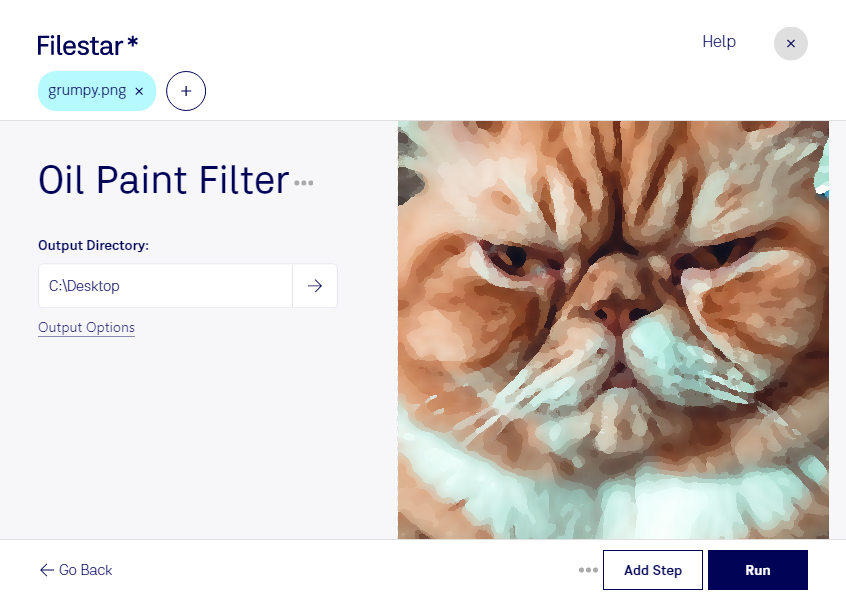
Transform Your PNG Files into Stunning Oil Paintings with Oil Paint PNG Filter
Filestar's Oil Paint PNG Filter is a powerful tool for transforming your PNG files into stunning oil paintings. With this tool, you can easily convert and process your PNG files into beautiful works of art, all from the comfort of your own computer.
One of the key benefits of using Filestar's Oil Paint PNG Filter is that it allows for bulk or batch conversion and operations. This means that you can quickly and easily transform multiple PNG files into oil paintings all at once, saving you time and effort.
Whether you are a professional artist, graphic designer, or photographer, the Oil Paint PNG Filter can be an incredibly useful tool. For example, if you are a graphic designer working on a project that requires an oil painting effect, you can easily transform your PNG files with this tool. Similarly, if you are a photographer looking to add an artistic touch to your photos, the Oil Paint PNG Filter can help you achieve the desired effect.
One of the key advantages of using Filestar's software is that all conversions and processing are done locally on your computer. This means that you do not have to worry about your files being uploaded to the cloud or being accessed by third-party services. This ensures that your files are kept safe and secure at all times.
Filestar's Oil Paint PNG Filter is available on both Windows and OSX, making it accessible to a wide range of users. Whether you are using a PC or a Mac, you can easily transform your PNG files into stunning oil paintings with this powerful tool.
In conclusion, if you are looking for a powerful tool for transforming your PNG files into stunning oil paintings, look no further than Filestar's Oil Paint PNG Filter. With its bulk conversion capabilities, local processing, and cross-platform availability, this tool is the perfect choice for professionals and amateurs alike. Get in touch with us today to learn more about how Filestar can help you achieve your creative vision.