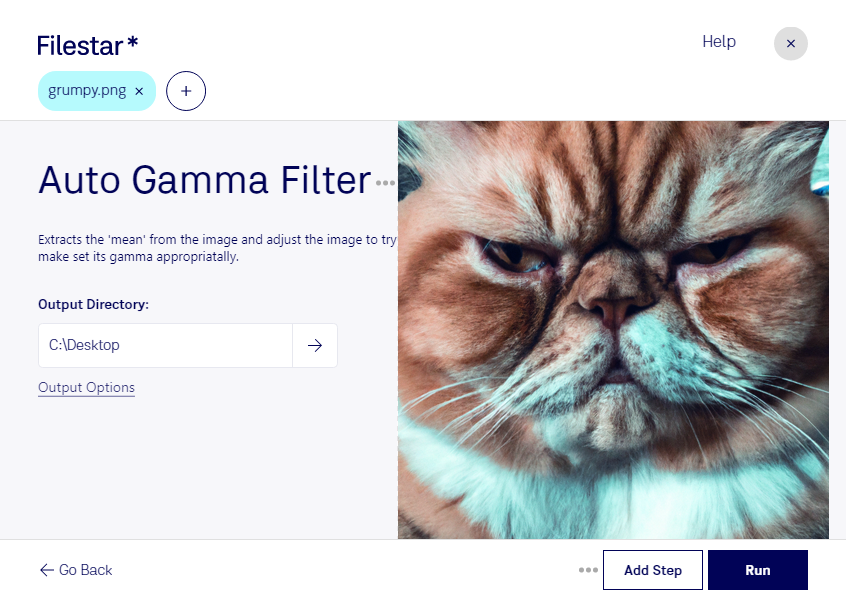
Auto gamma png filter

  1. Download and install the latest version of Filestar.

  2. Right click on one or more Png file(s) on your desktop and select Convert with Filestar.

  3. Type auto gamma filter in the search box.

  4. Press Run.

Or let an AI agent do it: filestarcli -i photo.png -c "auto gamma filter" (how).

auto gamma png filter

Let your AI agent auto gamma PNG filter

Claude Code, Codex, Cursor and other agents can do this on your computer with Filestar. Your files stay on your machine.

Install Filestar and add it to your agents:

npm install -g filestar
filestarcli agent install

Then ask your agent:

“Use Filestar to auto gamma PNG filter in my Downloads folder”

Or run it yourself:

filestarcli -i photo.png -c "auto gamma filter"

Runs on your computer, so your files stay on it. Works on Windows, macOS and Linux. 50 free conversions with the npm install, no account needed.

Can my AI agent auto gamma PNG filter?

Yes. Install the Filestar CLI with npm install -g filestar and your agent can run filestarcli -i photo.png -c "auto gamma filter" on your computer, so your files stay on it.

Using Filestar With AI Agents · Download SKILL.md

What is .png?

Extension
.png
Format
Binary
Category
Raster Image
Developer
PNG Development Group
Description
A PNG file is an image file stored in the Portable Network Graphic (PNG) format. It contains a bitmap of indexed colors and uses lossless compression, similar to a .GIF file but without copyright limitations. PNG files are commonly used to store graphics for web images.
MIME Type
image/png

Auto Gamma Png Filter Today

Get started within minutes

Auto Gamma PNG Filter:

Filestar's Auto Gamma PNG Filter is an essential tool for anyone working with PNG files. This feature allows you to automatically adjust the gamma value of your PNG files, resulting in improved brightness and contrast. With Filestar, you can easily convert and process your PNG files in bulk, saving you time and effort.

Whether you're a graphic designer, photographer, or simply someone who works with PNG files regularly, the Auto Gamma PNG Filter is a must-have feature. It allows you to quickly and efficiently enhance the quality of your images, making them look more vibrant and professional.

One of the great things about Filestar is that it runs on both Windows and OSX, so no matter what operating system you use, you can take advantage of this powerful tool. And because Filestar is a local software, you don't have to worry about internet connection or security risks associated with cloud-based services.

In addition to the Auto Gamma PNG Filter, Filestar offers a wide range of other features for processing and converting files. From PDF editing to audio conversion, Filestar has everything you need to streamline your workflow and increase productivity.

So if you're looking for a reliable and efficient way to convert and process your PNG files, look no further than Filestar's Auto Gamma PNG Filter. Try it out today and see the difference it can make in your work.