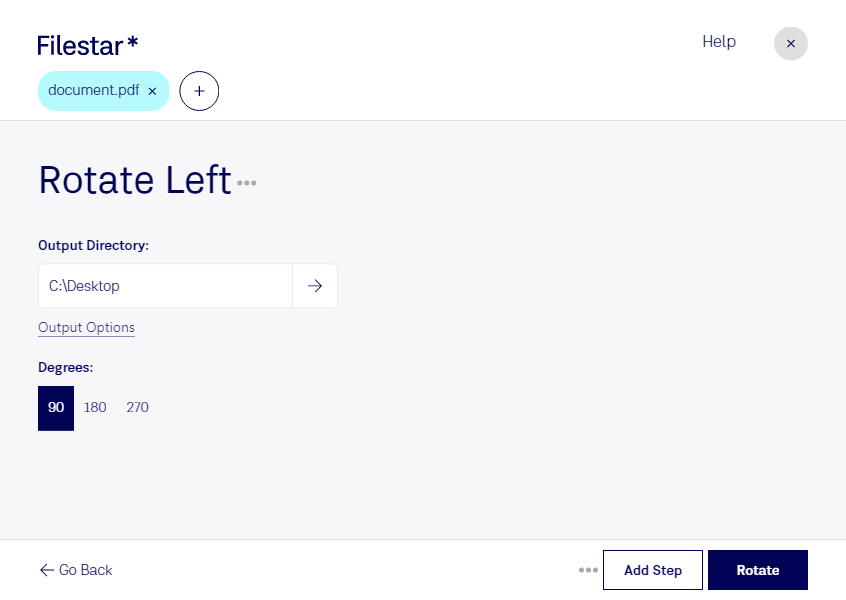
Rotate pdf left

  1. Download and install the latest version of Filestar.

  2. Right click on one or more Pdf file(s) on your desktop and select Convert with Filestar.

  3. Type rotate left in the search box.

  4. Press Rotate.

Or let an AI agent do it: filestarcli -i file.pdf -c "rotate left" (how).

rotate pdf left

Let your AI agent rotate PDF left

Claude Code, Codex, Cursor and other agents can do this on your computer with Filestar. Your files stay on your machine.

Install Filestar and add it to your agents:

npm install -g filestar
filestarcli agent install

Then ask your agent:

“Use Filestar to rotate PDF left in my Downloads folder”

Or run it yourself:

filestarcli -i file.pdf -c "rotate left"

Runs on your computer, so your files stay on it. Works on Windows, macOS and Linux. 50 free conversions with the npm install, no account needed.

Can my AI agent rotate PDF left?

Yes. Install the Filestar CLI with npm install -g filestar and your agent can run filestarcli -i file.pdf -c "rotate left" on your computer, so your files stay on it.

Using Filestar With AI Agents · Download SKILL.md

What is .pdf?

Extension
.pdf
Format
Binary
Category
Document
Developer
Adobe Systems
Description
The Portable Document Format (PDF) is a versatile file type designed to present documents in a manner independent of application software, hardware, and operating systems. Created by Adobe in the 1990s, PDF files can encapsulate text, fonts, images, and even interactive elements like hyperlinks, forms, and multimedia content. This format is widely used for its ability to preserve the original formatting of a document, ensuring that it can be viewed and printed as intended across different platforms.
MIME Type
application/pdf

Rotate Pdf Left Today

Get started within minutes

Are you tired of manually rotating PDF pages one by one? With Filestar, you can easily rotate PDF pages left in bulk, saving you time and effort. Our software is designed to make it easy to edit and optimize your PDF documents, with a range of powerful features that allow you to perform complex operations with just a few clicks.

Whether you're a business owner, marketer, or graphic designer, rotate pdf left can be a valuable tool in your workflow. For example, if you're creating a brochure or booklet, you may need to rotate certain pages to make them fit properly. Or, if you're working with scanned documents, you may need to rotate them to ensure they're aligned correctly.

One of the benefits of using Filestar is that you can perform these operations locally on your computer, rather than relying on cloud-based services. This means that your data is more secure, and you don't have to worry about slow internet speeds or connectivity issues. Plus, our software allows for bulk operations, so you can process large numbers of files quickly and easily.

Filestar runs on both Windows and OSX, making it accessible to a wide range of users. Our user-friendly interface and intuitive design make it easy to get started, even if you're not a tech expert. And with our affordable pricing plans, you can enjoy the benefits of our software without breaking the bank.

In conclusion, if you're looking for an easy and efficient way to rotate PDF pages left, look no further than Filestar. With our powerful software, you can perform complex operations with ease, all while keeping your data secure and your workflow streamlined. Get in touch today to learn more!