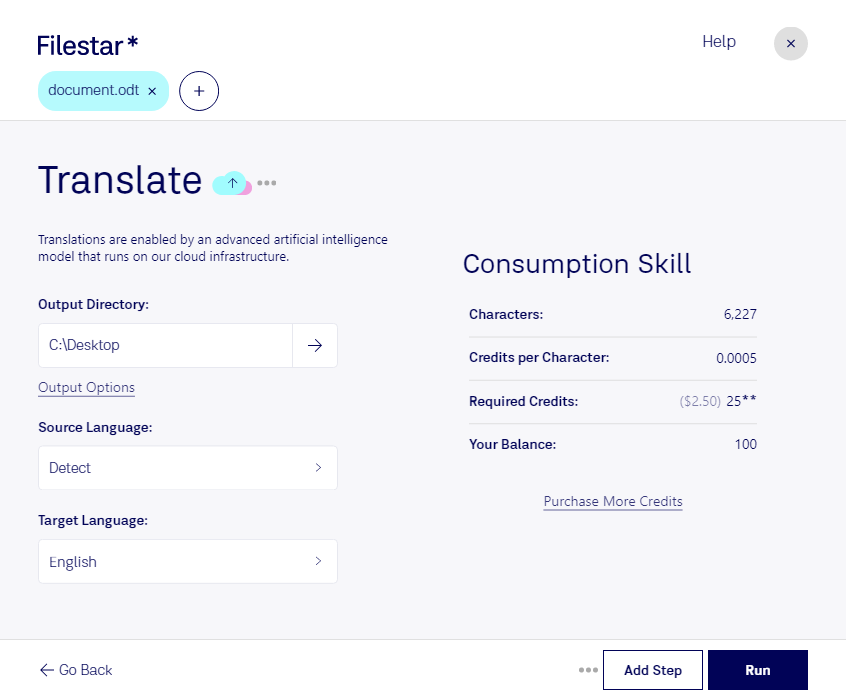
Translate odt

  1. Download and install the latest version of Filestar.

  2. Right click on one or more Odt file(s) on your desktop and select Convert with Filestar.

  3. Type translate in the search box.

  4. Press Run.

Or let an AI agent do it: filestarcli -i file.odt -c "translate" (how).

translate odt

Let your AI agent translate ODT

Claude Code, Codex, Cursor and other agents can do this on your computer with Filestar. Your files stay on your machine.

Install Filestar and add it to your agents:

npm install -g filestar
filestarcli agent install

Then ask your agent:

“Use Filestar to translate ODT in my Downloads folder”

Or run it yourself:

filestarcli -i file.odt -c "translate"

Runs on your computer, so your files stay on it. Works on Windows, macOS and Linux. 50 free conversions with the npm install, no account needed.

Can my AI agent translate ODT?

Yes. Install the Filestar CLI with npm install -g filestar and your agent can run filestarcli -i file.odt -c "translate" on your computer, so your files stay on it.

Using Filestar With AI Agents · Download SKILL.md

What is .odt?

Extension
.odt
Format
Binary
Category
Document
Developer
Apache Software Foundation
Description
An ODT file is a text document created by various word processors, such as the Writer program included in Apache OpenOffice and LibreOffice. It contains different elements such as text, images, drawn objects, and styles. ODT files are formatted using the OASIS OpenDocument XML-based standard.
MIME Type
application/vnd.oasis.opendocument.text

Translate Odt Today

Get started within minutes

Are you looking for a reliable solution to translate ODT files? Look no further than Filestar's desktop software. Our software allows for easy conversion and processing of ODT files, making it an ideal choice for professionals in various industries.

With Filestar, you can perform bulk or batch operations, saving you time and effort. Our software runs on both Windows and OSX, so you can use it no matter which operating system you prefer.

Professional translators, writers, and editors can benefit greatly from our translate ODT feature. Whether you're translating a document for a client or editing a document in a foreign language, our software makes the process simple and efficient. You can also use our software to convert ODT files to other file formats, such as PDF or DOCX, for further editing or sharing.

One of the advantages of using Filestar is that all conversions and processing are done locally on your computer, ensuring the safety and privacy of your data. You don't have to worry about uploading your files to the cloud or sharing them with third-party services.

In conclusion, Filestar's translate ODT feature is a reliable and efficient solution for professionals who need to convert and process ODT files. Try our software today and see how it can improve your workflow and productivity.