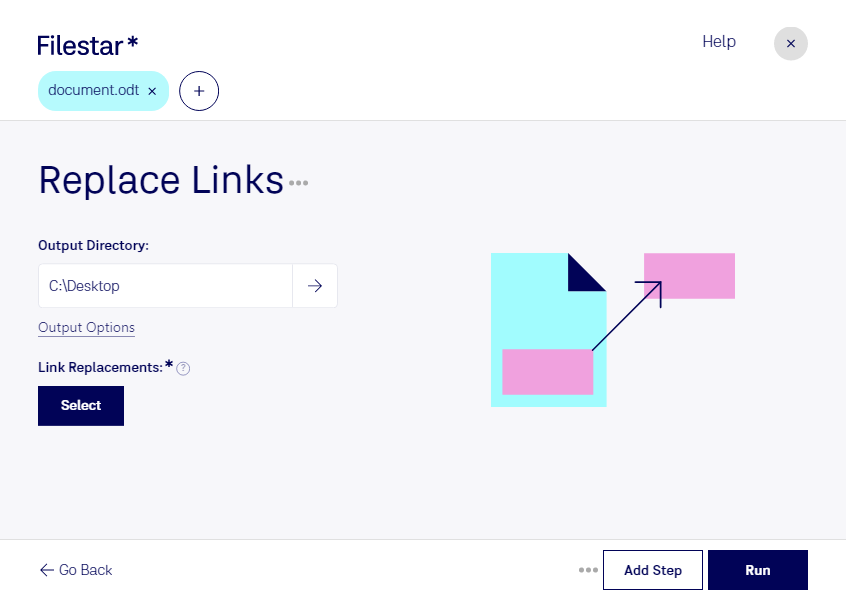
Replace odt links

  1. Download and install the latest version of Filestar.

  2. Right click on one or more Odt file(s) on your desktop and select Convert with Filestar.

  3. Type replace links in the search box.

  4. Press Run.

Or let an AI agent do it: filestarcli -i file.odt -c "replace links" (how).

replace odt links

Let your AI agent replace ODT links

Claude Code, Codex, Cursor and other agents can do this on your computer with Filestar. Your files stay on your machine.

Install Filestar and add it to your agents:

npm install -g filestar
filestarcli agent install

Then ask your agent:

“Use Filestar to replace ODT links in my Downloads folder”

Or run it yourself:

filestarcli -i file.odt -c "replace links"

Runs on your computer, so your files stay on it. Works on Windows, macOS and Linux. 50 free conversions with the npm install, no account needed.

Can my AI agent replace ODT links?

Yes. Install the Filestar CLI with npm install -g filestar and your agent can run filestarcli -i file.odt -c "replace links" on your computer, so your files stay on it.

Using Filestar With AI Agents · Download SKILL.md

What is .odt?

Extension
.odt
Format
Binary
Category
Document
Developer
Apache Software Foundation
Description
An ODT file is a text document created by various word processors, such as the Writer program included in Apache OpenOffice and LibreOffice. It contains different elements such as text, images, drawn objects, and styles. ODT files are formatted using the OASIS OpenDocument XML-based standard.
MIME Type
application/vnd.oasis.opendocument.text

Replace Odt Links Today

Get started within minutes

Are you tired of manually replacing links in your OpenDocument Text (ODT) documents? Filestar's software allows for bulk/batch conversion and operations, making it easy for you to replace ODT links in your documents quickly and efficiently.

Filestar runs on both Windows and OSX, so no matter what operating system you use, you can take advantage of this powerful tool. Whether you're a writer, editor, or publisher, the ability to replace ODT links in batches can save you a lot of time and effort.

For example, let's say you're a writer who has just finished a novel and wants to submit it to a publisher. The publisher requests that all links in the manuscript be updated to reflect the final version of the book. With Filestar's software, you can easily replace all the links in your ODT document in one go, instead of having to do it manually, which would be time-consuming and error-prone.

One of the advantages of using Filestar's software is that you can perform the conversion/processing locally on your computer, which is more secure than doing it in the cloud. This means that your data stays on your computer and is not transmitted over the internet, reducing the risk of data breaches and other security issues.

In conclusion, if you're looking for a way to replace ODT links in bulk, Filestar's software is an excellent choice. With its batch conversion and operation capabilities, it can save you time and effort, and its local processing ensures that your data is safe and secure. Get in touch with us today to learn more!