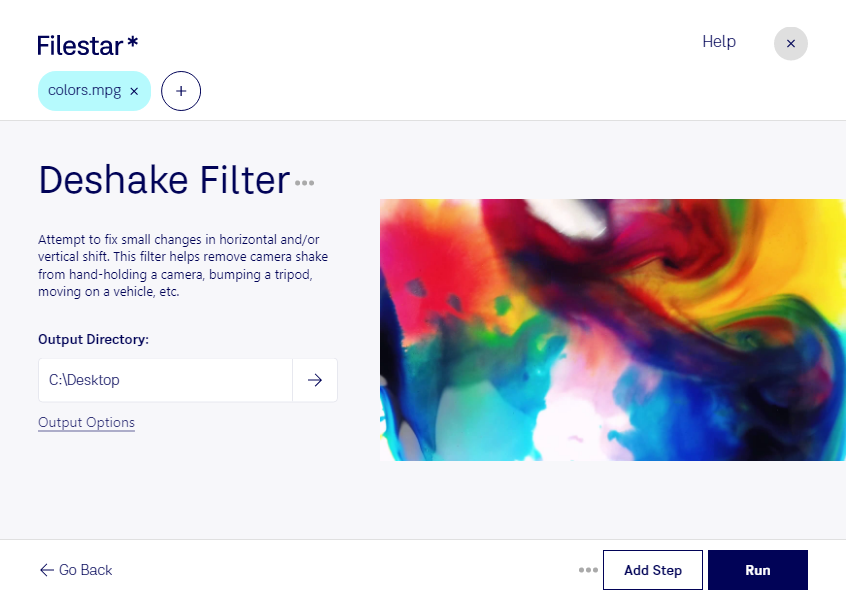
Deshake mpg filter

  1. Download and install the latest version of Filestar.

  2. Right click on one or more Mpg file(s) on your desktop and select Convert with Filestar.

  3. Type deshake filter in the search box.

  4. Press Run.

Or let an AI agent do it: filestarcli -i file.mpg -c "deshake filter" (how).

deshake mpg filter

Let your AI agent deshake MPG filter

Claude Code, Codex, Cursor and other agents can do this on your computer with Filestar. Your files stay on your machine.

Install Filestar and add it to your agents:

npm install -g filestar
filestarcli agent install

Then ask your agent:

“Use Filestar to deshake MPG filter in my Downloads folder”

Or run it yourself:

filestarcli -i file.mpg -c "deshake filter"

Runs on your computer, so your files stay on it. Works on Windows, macOS and Linux. 50 free conversions with the npm install, no account needed.

Can my AI agent deshake MPG filter?

Yes. Install the Filestar CLI with npm install -g filestar and your agent can run filestarcli -i file.mpg -c "deshake filter" on your computer, so your files stay on it.

Using Filestar With AI Agents · Download SKILL.md

What is .mpg?

Extension
.mpg
Format
Binary
Category
Video
Developer
MPEG (Moving Picture Experts Group)
Description
The MPG file format, short for MPEG Video, stands for Moving Picture Experts Group Video. It is a popular video file format standardized by the MPEG group, which is known for developing video and audio encoding standards. MPG files are compressed using either MPEG-1 or MPEG-2 compression, making them suitable for storing video data in a compressed form without significantly sacrificing quality. This format is widely used for creating movies that are distributed over the internet due to its good balance between file size and video quality.
MIME Type
video/mpeg

Deshake Mpg Filter Today

Get started within minutes

Are you tired of watching your shaky home videos? Do you need to stabilize your professional footage before presenting it to clients? Look no further than Filestar's deshake MPG filter. Our software allows you to easily stabilize your MPEG video files, giving you smooth, professional-looking footage.

But that's not all. With Filestar, you can perform bulk or batch operations on your files, saving you time and effort. And because our software runs locally on your computer, you can rest assured that your files are safe and secure.

Whether you're a professional videographer or a hobbyist, deshake MPG filter can be a valuable tool. For example, wedding videographers can use it to smooth out shaky footage of the ceremony or reception. Real estate agents can use it to create smooth, professional-looking virtual tours of properties. And educators can use it to create engaging, high-quality video content for their students.

And because Filestar runs on both Windows and OSX, you can use it no matter what type of computer you have. Plus, with our intuitive interface, you don't need to be a tech expert to use our software.

So why wait? Try Filestar's deshake MPG filter today and take your video footage to the next level.