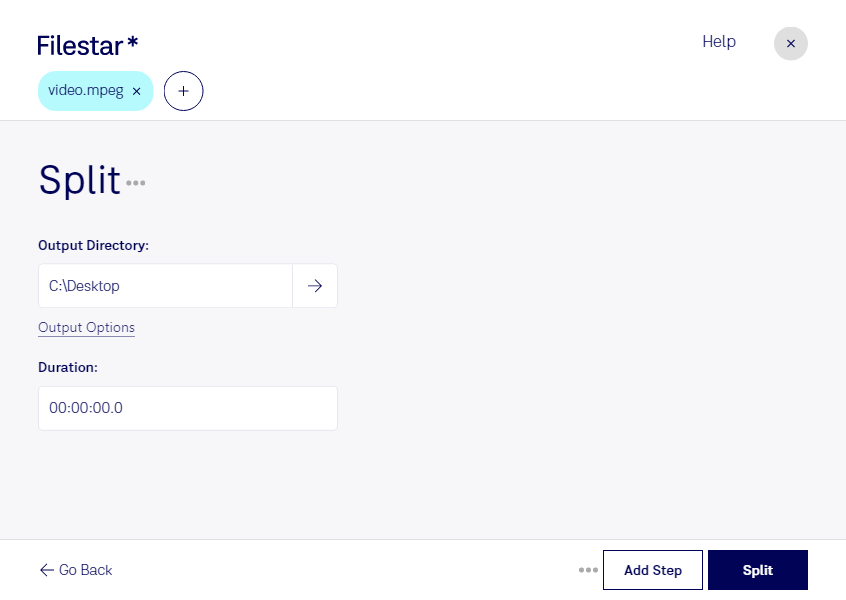
Are you tired of dealing with large, unmanageable MPEG video files? Look no further than Filestar. Our software allows for easy splitting of MPEG files into smaller, more manageable parts. With the ability to perform bulk/batch conversions and operations, you can quickly and efficiently split multiple files at once.
Filestar runs locally on your computer, ensuring that your files are processed safely and securely. Unlike cloud-based solutions, you don't have to worry about your sensitive data being compromised or accessed by unauthorized parties. This makes Filestar an ideal solution for professionals who deal with confidential video files, such as filmmakers, video editors, and marketing professionals.
Splitting MPEG files can be useful in a variety of scenarios. For example, if you're a filmmaker, you may need to split a large video file into smaller parts for easier editing. Or, if you're a marketer, you may want to split a video into shorter clips for use on social media. Whatever your needs may be, Filestar makes splitting MPEG files a breeze.
In addition to MPEG files, Filestar supports a wide range of other file types and formats. Our software runs on both Windows and OSX, making it easy for users to access and utilize our tools no matter what operating system they're using.
Try Filestar today and experience the benefits of local, secure, and efficient MPEG splitting and conversion. Get in touch with our team to learn more about our software and how it can help you streamline your workflow.