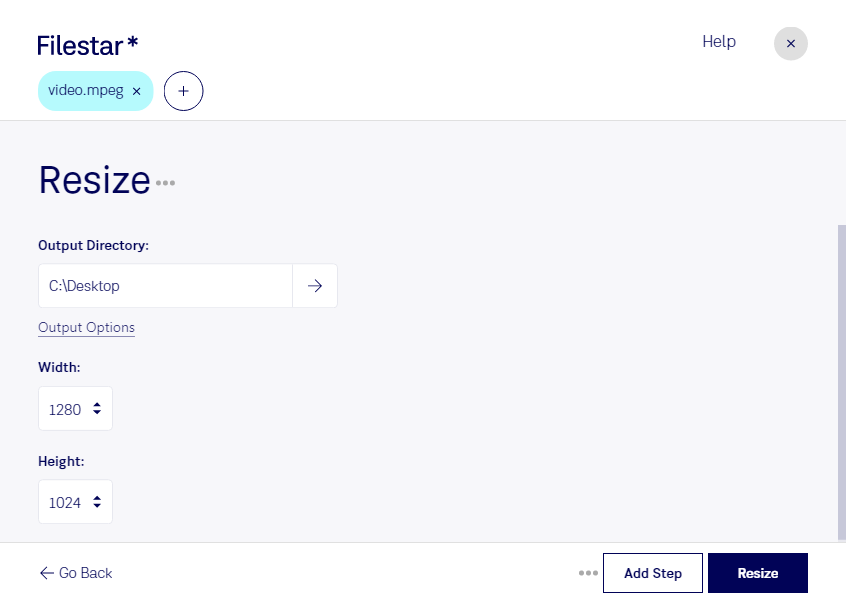
Resize mpeg

  1. Download and install the latest version of Filestar.

  2. Right click on one or more Mpeg file(s) on your desktop and select Convert with Filestar.

  3. Type resize in the search box.

  4. Press Resize.

Or let an AI agent do it: filestarcli -i file.mpeg -c "resize" (how).

resize mpeg

Let your AI agent resize MPEG

Claude Code, Codex, Cursor and other agents can do this on your computer with Filestar. Your files stay on your machine.

Install Filestar and add it to your agents:

npm install -g filestar
filestarcli agent install

Then ask your agent:

“Use Filestar to resize MPEG in my Downloads folder”

Or run it yourself:

filestarcli -i file.mpeg -c "resize"

Runs on your computer, so your files stay on it. Works on Windows, macOS and Linux. 50 free conversions with the npm install, no account needed.

Can my AI agent resize MPEG?

Yes. Install the Filestar CLI with npm install -g filestar and your agent can run filestarcli -i file.mpeg -c "resize" on your computer, so your files stay on it.

Using Filestar With AI Agents · Download SKILL.md

What is .mpeg?

Extension
.mpeg
Format
Binary
Category
Video
Developer
Moving Picture Experts Group
Description
Popular video format standardized by the Moving Picture Experts Group (MPEG); compressed using MPEG-1 or MPEG-2 compression; often used for creating movies that are distributed over the Internet.
MIME Type
video/mpeg

Resize Mpeg Today

Get started within minutes

Are you looking for a reliable way to resize your MPEG video files? Look no further than Filestar. Our software allows you to perform bulk operations on your files, making it easy to resize multiple videos at once. And with support for both Windows and OSX, you can use Filestar no matter what operating system you prefer.

Professionals in a variety of industries can benefit from resizing MPEG files. For example, video editors often need to resize videos to fit specific dimensions or aspect ratios. And marketers may need to resize videos for use on different social media platforms. With Filestar, you can quickly and easily resize your videos to meet your specific needs.

One of the benefits of using Filestar is that all file processing is done locally on your computer. This means that your files are not uploaded to the cloud, providing an extra layer of security. Plus, with our software, you can rest assured that your files will be processed quickly and efficiently.

In addition to resizing MPEG files, Filestar supports a wide range of file types, making it a versatile tool for all your file conversion and processing needs. Whether you need to convert images, audio files, or documents, Filestar has you covered.

Don't let the hassle of resizing MPEG files slow you down. Try Filestar today and experience the ease and efficiency of our bulk conversion feature.