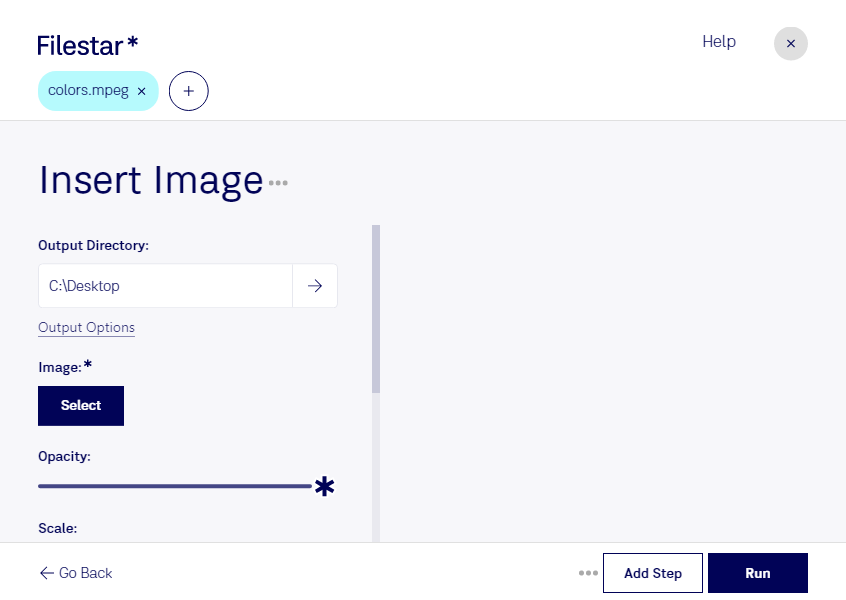
Insert image mpeg

  1. Download and install the latest version of Filestar.

  2. Right click on one or more Mpeg file(s) on your desktop and select Convert with Filestar.

  3. Type insert image in the search box.

  4. Press Run.

Or let an AI agent do it: filestarcli -i file.mpeg -c "insert image" (how).

insert image mpeg

Let your AI agent insert image MPEG

Claude Code, Codex, Cursor and other agents can do this on your computer with Filestar. Your files stay on your machine.

Install Filestar and add it to your agents:

npm install -g filestar
filestarcli agent install

Then ask your agent:

“Use Filestar to insert image MPEG in my Downloads folder”

Or run it yourself:

filestarcli -i file.mpeg -c "insert image"

Runs on your computer, so your files stay on it. Works on Windows, macOS and Linux. 50 free conversions with the npm install, no account needed.

Can my AI agent insert image MPEG?

Yes. Install the Filestar CLI with npm install -g filestar and your agent can run filestarcli -i file.mpeg -c "insert image" on your computer, so your files stay on it.

Using Filestar With AI Agents · Download SKILL.md

What is .mpeg?

Extension
.mpeg
Format
Binary
Category
Video
Developer
Moving Picture Experts Group
Description
Popular video format standardized by the Moving Picture Experts Group (MPEG); compressed using MPEG-1 or MPEG-2 compression; often used for creating movies that are distributed over the Internet.
MIME Type
video/mpeg

Insert Image Mpeg Today

Get started within minutes

Are you a professional in graphic design, marketing, or video production looking to insert images into MPEG video files? Look no further than Filestar's insert image MPEG conversion and processing software. Our software allows for bulk/batch conversion/operations, making the process fast and efficient.

Filestar runs on both Windows and OSX, so no matter your operating system, you can easily convert and process your MPEG video files to insert images. Plus, with the ability to convert and process locally on your computer, you can rest assured that your files are safe and secure.

Insert image MPEG is useful for a variety of professionals, including graphic designers who want to add images to their video projects, marketers who want to create engaging video content, and video producers who want to enhance their videos with additional visual elements. With Filestar's insert image MPEG conversion and processing software, the possibilities are endless.

Don't risk the security of your files by using cloud-based conversion and processing services. With Filestar, you can convert and process locally on your computer, keeping your files safe and secure. Try our insert image MPEG conversion and processing software today and take your video projects to the next level.