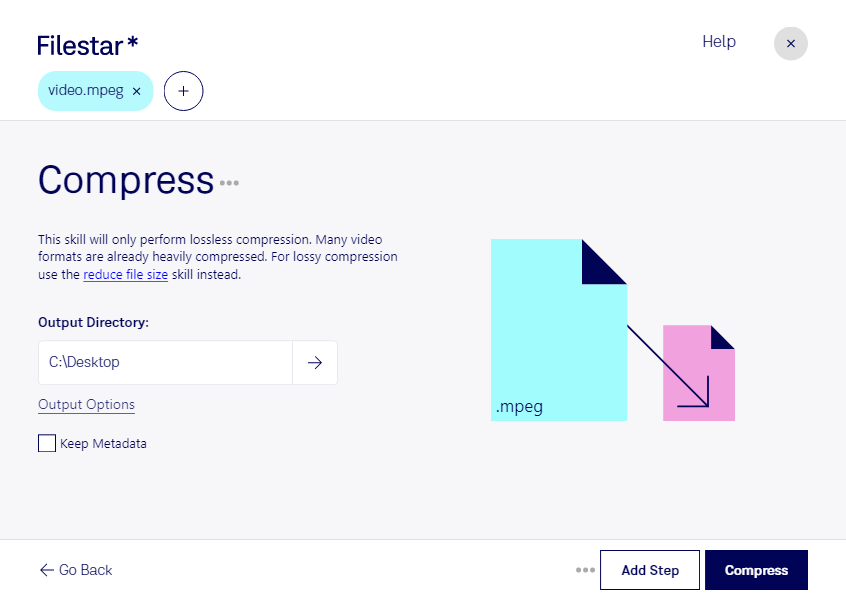
Compress mpeg

  1. Download and install the latest version of Filestar.

  2. Right click on one or more Mpeg file(s) on your desktop and select Convert with Filestar.

  3. Type compress in the search box.

  4. Press Compress.

Or let an AI agent do it: filestarcli -i file.mpeg -c "compress" (how).

compress mpeg

Let your AI agent compress MPEG

Claude Code, Codex, Cursor and other agents can do this on your computer with Filestar. Your files stay on your machine.

Install Filestar and add it to your agents:

npm install -g filestar
filestarcli agent install

Then ask your agent:

“Use Filestar to compress MPEG in my Downloads folder”

Or run it yourself:

filestarcli -i file.mpeg -c "compress"

Runs on your computer, so your files stay on it. Works on Windows, macOS and Linux. 50 free conversions with the npm install, no account needed.

Can my AI agent compress MPEG?

Yes. Install the Filestar CLI with npm install -g filestar and your agent can run filestarcli -i file.mpeg -c "compress" on your computer, so your files stay on it.

Using Filestar With AI Agents · Download SKILL.md

What is .mpeg?

Extension
.mpeg
Format
Binary
Category
Video
Developer
Moving Picture Experts Group
Description
Popular video format standardized by the Moving Picture Experts Group (MPEG); compressed using MPEG-1 or MPEG-2 compression; often used for creating movies that are distributed over the Internet.
MIME Type
video/mpeg

Compress Mpeg Today

Get started within minutes

Are you a professional working with MPEG video files? Do you need to compress them quickly and safely? Look no further than Filestar. Our software allows for bulk conversion and operations, making it easy to compress multiple MPEG videos at once.

Filestar runs on both Windows and OSX, ensuring that no matter your operating system, you can take advantage of our powerful software. Plus, with local processing, you can rest assured that your files are being converted and compressed safely on your own computer, rather than in the cloud.

But who might need to compress MPEG videos? Professionals in a variety of industries, such as filmmakers, video editors, and social media managers, often need to compress large video files in order to share them online or to save space on their hard drives. With Filestar, you can quickly and easily compress your MPEG videos without sacrificing quality.

So why choose Filestar? Not only does our software offer bulk operations and local processing, but we also provide a wide range of other file conversion and processing tools. And with our user-friendly interface, even those without technical expertise can easily navigate and use our software.

Don't let large MPEG video files slow you down. Try Filestar today and experience the benefits of local processing and bulk operations for yourself. Get in touch with our team to learn more.