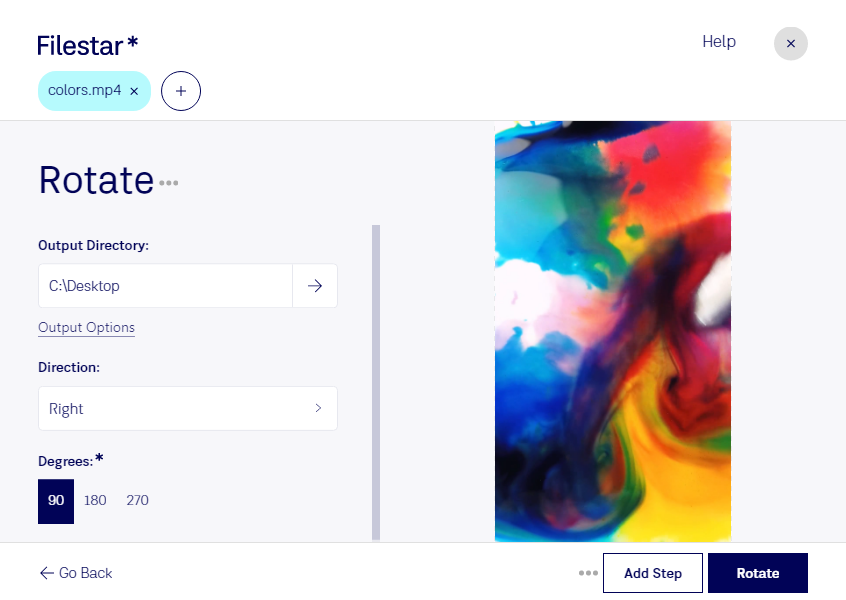
Rotate mp4

  1. Download and install the latest version of Filestar.

  2. Right click on one or more Mp4 file(s) on your desktop and select Convert with Filestar.

  3. Type rotate in the search box.

  4. Press Rotate.

Or let an AI agent do it: filestarcli -i file.mp4 -c "rotate" (how).

rotate mp4

Let your AI agent rotate MP4

Claude Code, Codex, Cursor and other agents can do this on your computer with Filestar. Your files stay on your machine.

Install Filestar and add it to your agents:

npm install -g filestar
filestarcli agent install

Then ask your agent:

“Use Filestar to rotate MP4 in my Downloads folder”

Or run it yourself:

filestarcli -i file.mp4 -c "rotate"

Runs on your computer, so your files stay on it. Works on Windows, macOS and Linux. 50 free conversions with the npm install, no account needed.

Can my AI agent rotate MP4?

Yes. Install the Filestar CLI with npm install -g filestar and your agent can run filestarcli -i file.mp4 -c "rotate" on your computer, so your files stay on it.

Using Filestar With AI Agents · Download SKILL.md

What is .mp4?

Extension
.mp4
Format
Binary
Category
Video
Developer
Moving Picture Experts Group
Description
An MP4 file is a multimedia file commonly used to store a movie or video clip, but may also contain subtitles or images. MP4 is short for MPEG-4 Part 14, which is a container format based on the QuickTime File Format (QTFF) used by .MOV and .QT files.
MIME Type
video/mp4

Rotate Mp4 Today

Get started within minutes

Are you tired of watching sideways or upside-down videos? With Filestar, you can quickly and easily rotate your MP4 videos to the correct orientation. Our software allows for bulk operations, so you can process multiple videos at once, saving you valuable time and effort.

Whether you're a photographer, videographer, or social media manager, rotating MP4 videos is an essential task that you need to perform regularly. With Filestar, you can do it quickly and efficiently, allowing you to focus on other important aspects of your work.

One of the best things about Filestar is that it runs on both Windows and OSX, making it accessible to a wide range of professionals. You don't have to worry about compatibility issues or having to switch between different software programs.

Additionally, with Filestar, you can process your files locally on your computer, which is much safer than using an online converter. You don't have to worry about your sensitive data being compromised or stolen, giving you peace of mind and security.

In conclusion, if you're looking for a reliable and efficient way to rotate MP4 videos, look no further than Filestar. Our software allows for bulk operations, runs on both Windows and OSX, and is perfect for professionals in various industries. Keep your files safe and secure by processing them locally on your computer with Filestar.