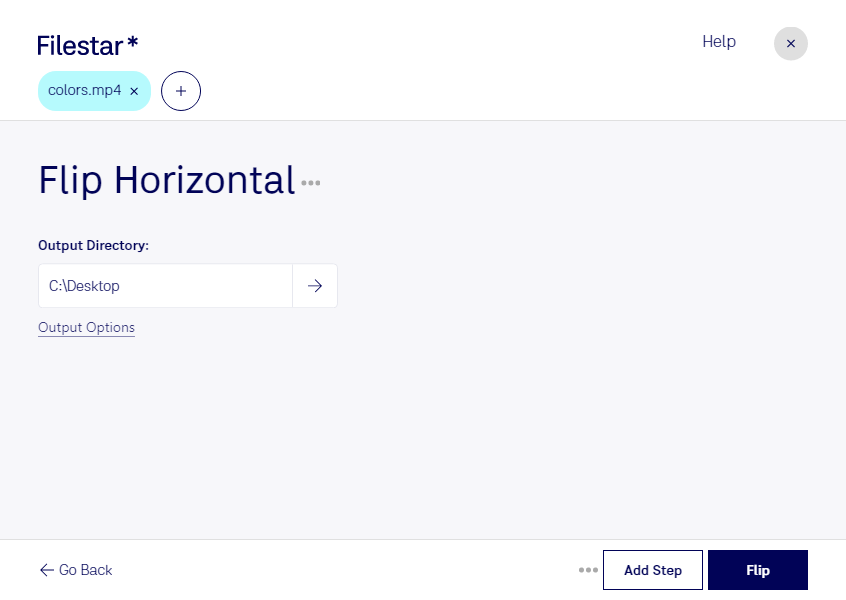
Flip mp4 horizontal

  1. Download and install the latest version of Filestar.

  2. Right click on one or more Mp4 file(s) on your desktop and select Convert with Filestar.

  3. Type flip horizontal in the search box.

  4. Press Flip.

Or let an AI agent do it: filestarcli -i file.mp4 -c "flip horizontal" (how).

flip mp4 horizontal

Let your AI agent flip MP4 horizontal

Claude Code, Codex, Cursor and other agents can do this on your computer with Filestar. Your files stay on your machine.

Install Filestar and add it to your agents:

npm install -g filestar
filestarcli agent install

Then ask your agent:

“Use Filestar to flip MP4 horizontal in my Downloads folder”

Or run it yourself:

filestarcli -i file.mp4 -c "flip horizontal"

Runs on your computer, so your files stay on it. Works on Windows, macOS and Linux. 50 free conversions with the npm install, no account needed.

Can my AI agent flip MP4 horizontal?

Yes. Install the Filestar CLI with npm install -g filestar and your agent can run filestarcli -i file.mp4 -c "flip horizontal" on your computer, so your files stay on it.

Using Filestar With AI Agents · Download SKILL.md

What is .mp4?

Extension
.mp4
Format
Binary
Category
Video
Developer
Moving Picture Experts Group
Description
An MP4 file is a multimedia file commonly used to store a movie or video clip, but may also contain subtitles or images. MP4 is short for MPEG-4 Part 14, which is a container format based on the QuickTime File Format (QTFF) used by .MOV and .QT files.
MIME Type
video/mp4

Flip Mp4 Horizontal Today

Get started within minutes

Are you looking for a simple and safe way to flip MP4 videos horizontally? Look no further than Filestar! Our software allows for easy and efficient bulk conversion and operations of various file types, including MP4 videos.

Whether you are a professional video editor or just looking to flip a video for personal use, Filestar has got you covered. Our software runs on both Windows and OSX, ensuring compatibility with the majority of computer systems.

Professionals in the media and entertainment industry can benefit greatly from Filestar's flip MP4 horizontal feature. For example, a video editor may need to flip a shot in a scene to match the continuity of a previous shot. With Filestar, this can be done quickly and efficiently, allowing for a smoother workflow.

One of the greatest benefits of using Filestar for your flip MP4 horizontal needs is the safety and security of processing locally on your computer. Unlike online converters that require an internet connection and may pose a security risk, Filestar allows you to process your files offline, keeping your data and personal information safe.

In conclusion, if you are looking for a reliable and efficient way to flip MP4 videos horizontally, Filestar is the perfect solution. Try our software today and experience the ease and convenience of local file processing. Don't hesitate to reach out to us with any questions or concerns.