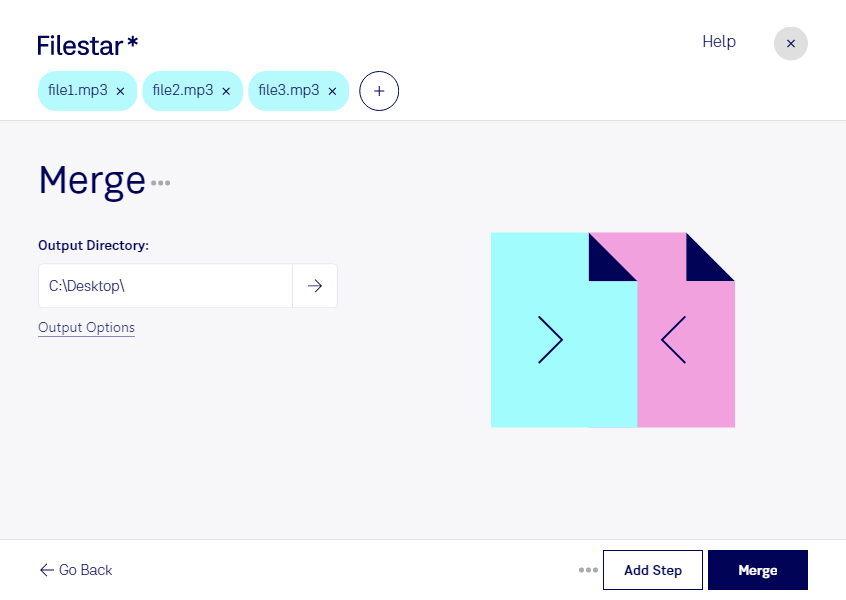
Merge mp3

  1. Download and install the latest version of Filestar.

  2. Right click on one or more Mp3 file(s) on your desktop and select Convert with Filestar.

  3. Type merge in the search box.

  4. Press Merge.

Or let an AI agent do it: filestarcli -i file.mp3 -c "merge" (how).

merge mp3

Let your AI agent merge MP3

Claude Code, Codex, Cursor and other agents can do this on your computer with Filestar. Your files stay on your machine.

Install Filestar and add it to your agents:

npm install -g filestar
filestarcli agent install

Then ask your agent:

“Use Filestar to merge MP3 in my Downloads folder”

Or run it yourself:

filestarcli -i file.mp3 -c "merge"

Runs on your computer, so your files stay on it. Works on Windows, macOS and Linux. 50 free conversions with the npm install, no account needed.

Can my AI agent merge MP3?

Yes. Install the Filestar CLI with npm install -g filestar and your agent can run filestarcli -i file.mp3 -c "merge" on your computer, so your files stay on it.

Using Filestar With AI Agents · Download SKILL.md

What is .mp3?

Extension
.mp3
Format
Binary
Category
Audio
Developer
Moving Picture Experts Group
Description
An MP3 file is an audio file saved in a compressed audio format developed by the Moving Picture Experts Group (MPEG) that uses "Layer 3" audio compression. It is commonly used to store music and audiobooks with near-CD quality sound (stereo, 16-bit) and roughly 1/10 the size of a .WAV or .AIF file.
MIME Type
audio/mpeg3

Merge Mp3 Today

Get started within minutes

Are you tired of having multiple MP3 files that you need to play one after another? With Filestar's Merge MP3 tool, you can easily combine all your MP3 files into one seamless audio file.

Our software allows for bulk operations, so you can merge multiple files at once and save time. Plus, because Filestar runs on both Windows and OSX, you can use it no matter what operating system you prefer.

Merge MP3 is not only useful for personal projects, but it can also be a valuable tool for professionals. DJs and music producers, for example, can use Merge MP3 to create a continuous mix or mashup of songs. Podcasters can merge multiple audio files into one episode, saving time and keeping their content organized.

With Filestar, you can process and convert your MP3 files locally on your computer, which is a safer option than using cloud-based services. You don't have to worry about your files being stored on a remote server or being accessed by third parties.

Try Filestar's Merge MP3 tool today and streamline your audio files into one cohesive track.