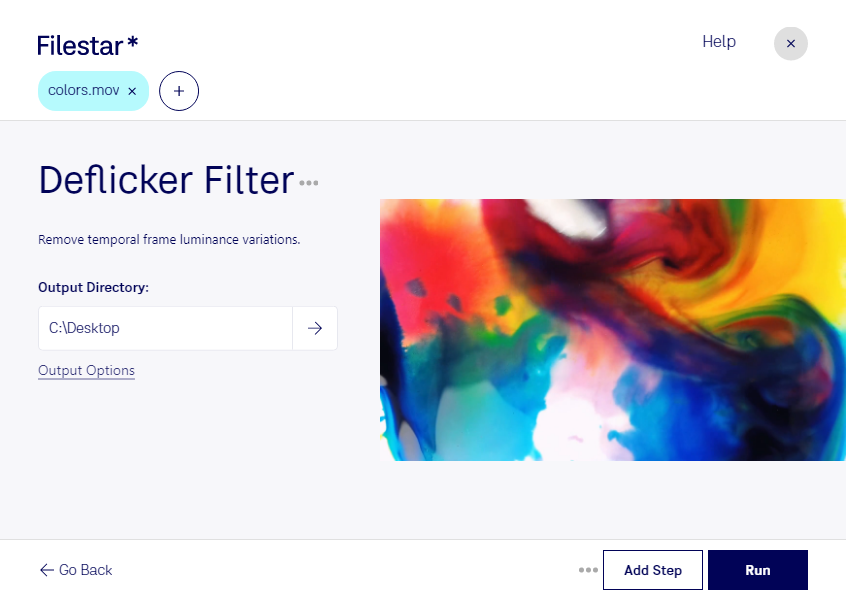
Deflicker mov filter

  1. Download and install the latest version of Filestar.

  2. Right click on one or more Mov file(s) on your desktop and select Convert with Filestar.

  3. Type deflicker filter in the search box.

  4. Press Run.

Or let an AI agent do it: filestarcli -i file.mov -c "deflicker filter" (how).

deflicker mov filter

Let your AI agent deflicker MOV filter

Claude Code, Codex, Cursor and other agents can do this on your computer with Filestar. Your files stay on your machine.

Install Filestar and add it to your agents:

npm install -g filestar
filestarcli agent install

Then ask your agent:

“Use Filestar to deflicker MOV filter in my Downloads folder”

Or run it yourself:

filestarcli -i file.mov -c "deflicker filter"

Runs on your computer, so your files stay on it. Works on Windows, macOS and Linux. 50 free conversions with the npm install, no account needed.

Can my AI agent deflicker MOV filter?

Yes. Install the Filestar CLI with npm install -g filestar and your agent can run filestarcli -i file.mov -c "deflicker filter" on your computer, so your files stay on it.

Using Filestar With AI Agents · Download SKILL.md

What is .mov?

Extension
.mov
Format
Binary
Category
Video
Developer
Apple
Description
A MOV file is a common multimedia container file format developed by Apple and compatible with both Macintosh and Windows platforms. It may contain multiple tracks that store different types of media data and is often used for saving movies and other video files. MOV files commonly use the MPEG-4 codec for compression.
MIME Type
video/quicktime

Deflicker Mov Filter Today

Get started within minutes

Are you tired of seeing flickering in your Apple QuickTime Movie files? Look no further than Filestar's Deflicker MOV Filter. This powerful tool allows you to remove flickering from your video files quickly and easily.

With Filestar, you can perform bulk/batch operations, saving you time and effort. Plus, the software runs on both Windows and OSX, making it accessible to a wide range of users.

Deflicker MOV Filter is particularly useful for professionals in the film and video industry. For example, if you're a filmmaker shooting indoors with artificial lighting, you may encounter flickering in your footage. With Deflicker MOV Filter, you can eliminate this issue and produce high-quality videos that meet your standards.

One of the advantages of using Filestar's software is that all conversions and processing happen locally on your computer. This means that your files are not uploaded to the cloud, reducing the risk of data breaches or loss of sensitive information.

In conclusion, if you're looking for a reliable way to remove flickering from your Apple QuickTime Movie files, try Filestar's Deflicker MOV Filter. It's an easy-to-use, powerful tool that can help you produce high-quality videos. Get started today and see the difference for yourself.