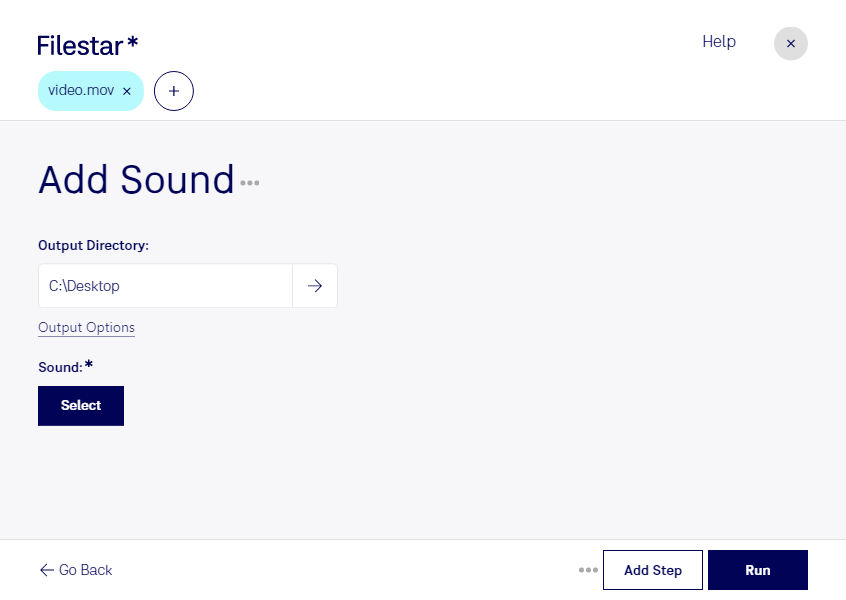
Add mov sound

  1. Download and install the latest version of Filestar.

  2. Right click on one or more Mov file(s) on your desktop and select Convert with Filestar.

  3. Type add sound in the search box.

  4. Press Run.

Or let an AI agent do it: filestarcli -i file.mov -c "add sound" (how).

add mov sound

Let your AI agent add MOV sound

Claude Code, Codex, Cursor and other agents can do this on your computer with Filestar. Your files stay on your machine.

Install Filestar and add it to your agents:

npm install -g filestar
filestarcli agent install

Then ask your agent:

“Use Filestar to add MOV sound in my Downloads folder”

Or run it yourself:

filestarcli -i file.mov -c "add sound"

Runs on your computer, so your files stay on it. Works on Windows, macOS and Linux. 50 free conversions with the npm install, no account needed.

Can my AI agent add MOV sound?

Yes. Install the Filestar CLI with npm install -g filestar and your agent can run filestarcli -i file.mov -c "add sound" on your computer, so your files stay on it.

Using Filestar With AI Agents · Download SKILL.md

What is .mov?

Extension
.mov
Format
Binary
Category
Video
Developer
Apple
Description
A MOV file is a common multimedia container file format developed by Apple and compatible with both Macintosh and Windows platforms. It may contain multiple tracks that store different types of media data and is often used for saving movies and other video files. MOV files commonly use the MPEG-4 codec for compression.
MIME Type
video/quicktime

Add Mov Sound Today

Get started within minutes

Are you a content creator or video editor looking to add sound to your Apple QuickTime Movie files? Look no further than Filestar. Our software allows for easy and efficient bulk conversion and processing of video files, including the ability to add sound to your MOV files.

One of the unique selling points of Filestar is its ability to run on both Windows and OSX operating systems. This means that no matter what type of computer you use, you can take advantage of our powerful video conversion and processing tools.

In what professional settings might adding sound to MOV files be useful? Well, imagine you are a filmmaker who needs to add sound effects or music to your movie files. Or perhaps you work in advertising and need to add voiceovers to your promotional videos. Whatever your profession, Filestar can help you easily and safely complete your video processing tasks.

And speaking of safety, Filestar processes and converts files locally on your computer, rather than in the cloud. This means that your files are kept secure and private, and you don't have to worry about potential security breaches or data leaks.

So why wait? Download Filestar today and start adding sound to your Apple QuickTime Movie files with ease. And don't forget, our software allows for bulk conversions and operations, making it the perfect tool for content creators and video editors alike.