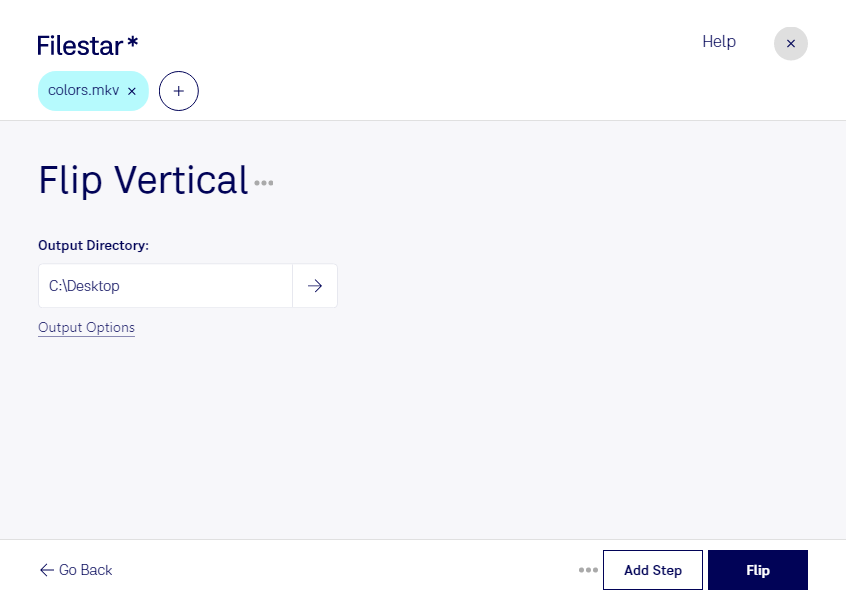
Flip mkv vertical

  1. Download and install the latest version of Filestar.

  2. Right click on one or more Mkv file(s) on your desktop and select Convert with Filestar.

  3. Type flip vertical in the search box.

  4. Press Flip.

Or let an AI agent do it: filestarcli -i file.mkv -c "flip vertical" (how).

flip mkv vertical

Let your AI agent flip MKV vertical

Claude Code, Codex, Cursor and other agents can do this on your computer with Filestar. Your files stay on your machine.

Install Filestar and add it to your agents:

npm install -g filestar
filestarcli agent install

Then ask your agent:

“Use Filestar to flip MKV vertical in my Downloads folder”

Or run it yourself:

filestarcli -i file.mkv -c "flip vertical"

Runs on your computer, so your files stay on it. Works on Windows, macOS and Linux. 50 free conversions with the npm install, no account needed.

Can my AI agent flip MKV vertical?

Yes. Install the Filestar CLI with npm install -g filestar and your agent can run filestarcli -i file.mkv -c "flip vertical" on your computer, so your files stay on it.

Using Filestar With AI Agents · Download SKILL.md

What is .mkv?

Extension
.mkv
Format
Binary
Category
Video
Developer
Matroska
Description
An MKV file is a video container format similar to the .AVI, .ASF, and .MOV formats. It supports several types of audio and video codecs and may include .SRT, .SSA, or .USF (Universal Subtitle Format) subtitles. MKV files also support VobSub subtitles from DVDs.
MIME Type
video/x-matroska

Flip Mkv Vertical Today

Get started within minutes

Are you a video editor or content creator looking for an easy way to flip your Matroska Video files vertically? Look no further than Filestar's flip MKV vertical feature. Our software allows for bulk/batch conversion/operations, so you can process multiple files at once and save time.

Filestar runs on both Windows and OSX, making it a versatile tool for professionals in various industries. For example, architects and designers can use the flip MKV vertical feature to create 3D models and visualizations. Marketers and advertisers can use it to create eye-catching social media ads. And educators can use it to create engaging educational videos for their students.

One of the benefits of using Filestar is that you can convert and process videos locally on your computer, rather than relying on cloud-based services. This means that your files are more secure and you have more control over the conversion/processing process. You don't have to worry about slow internet speeds or potential security breaches.

In addition to the flip MKV vertical feature, Filestar offers a wide range of other file conversion and processing tools. Whether you need to convert images, documents, audio files, or spreadsheets, our software has got you covered.

Ready to try out Filestar's flip MKV vertical feature for yourself? Download our software today and start flipping your Matroska Video files with ease.