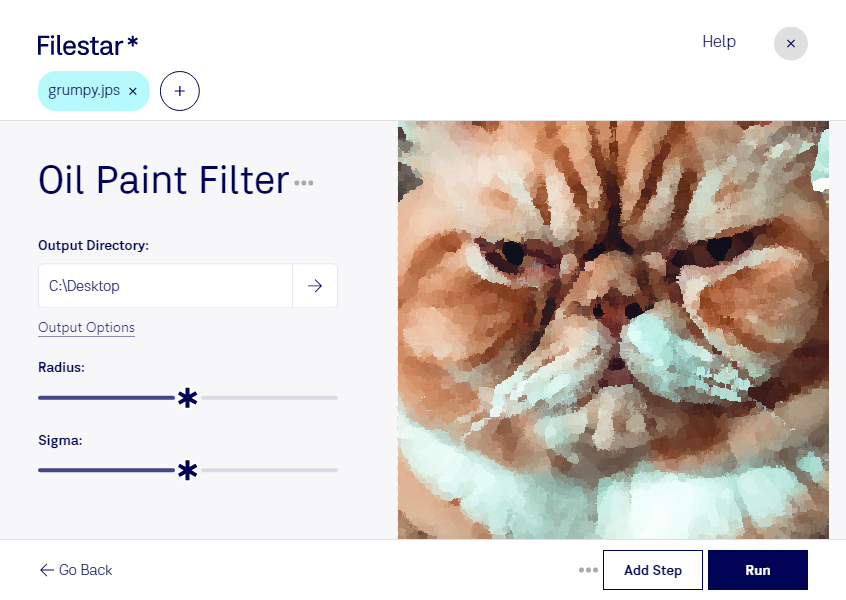
Oil Paint JPS Filter: Transform Your JPS Files into Stunning Oil Paintings
Oil Paint JPS Filter is a powerful tool that allows you to convert your JPS files into beautiful oil paintings. With this feature-packed software, you can transform your ordinary JPS files into stunning works of art in just a few clicks.
One of the key benefits of Oil Paint JPS Filter is its ability to perform bulk or batch operations. This means you can convert multiple JPS files at once, saving you time and effort. Whether you're a professional photographer or a hobbyist, Oil Paint JPS Filter is a must-have tool in your arsenal.
Filestar is a versatile software that runs on both Windows and OSX. With Filestar, you can convert and process your JPS files locally on your computer, which is much safer than using an online converter. By processing your files locally, you can be sure that your data is secure and protected.
Oil Paint JPS Filter is especially useful for professionals in the photography and design industries. For example, if you're a photographer, you can use Oil Paint JPS Filter to create stunning oil painting versions of your photos. This can be a great way to add a unique and artistic touch to your portfolio. Similarly, if you're a designer, you can use Oil Paint JPS Filter to create beautiful illustrations and graphics.
In conclusion, Oil Paint JPS Filter is a powerful tool that allows you to easily convert and process your JPS files into stunning oil paintings. With bulk conversion, local processing, and cross-platform compatibility, this software is a must-have for anyone looking to add a creative touch to their files. Download Filestar today and try Oil Paint JPS Filter for yourself!