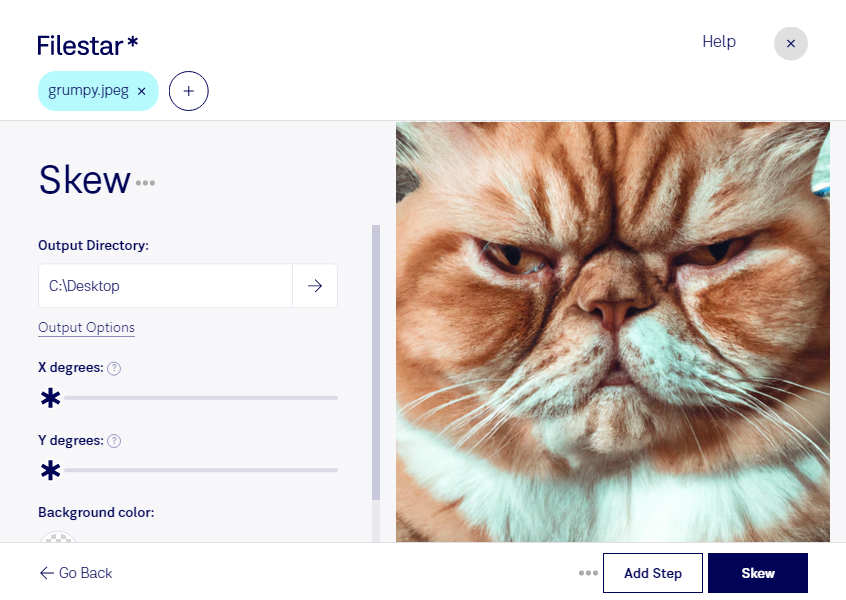
Skew jpeg

  1. Download and install the latest version of Filestar.

  2. Right click on one or more Jpeg file(s) on your desktop and select Convert with Filestar.

  3. Type skew in the search box.

  4. Press Skew.

  5. Or let an AI agent do it: filestarcli -i photo.jpeg -c "skew" (how).

skew jpeg

Let your AI agent skew JPEG

Claude Code, Codex, Cursor and other agents can do this on your computer with Filestar. Your files stay on your machine.

Install Filestar and add it to your agents:

npm install -g filestar
filestarcli agent install

Then ask your agent:

“Use Filestar to skew JPEG in my Downloads folder”

Or run it yourself:

filestarcli -i photo.jpeg -c "skew"

Runs on your computer, so your files stay on it. Works on Windows, macOS and Linux. 50 free conversions with the npm install, no account needed.

Can my AI agent skew JPEG?

Yes. Install the Filestar CLI with npm install -g filestar and your agent can run filestarcli -i photo.jpeg -c "skew" on your computer, so your files stay on it.

Using Filestar With AI Agents →

What is .jpeg?

Extension
.jpeg
Format
Binary
Category
Raster Image
Developer
Joint Photographic Experts Group
Description
A JPEG file is an image saved in a compressed graphic format standardized by the Joint Photographic Experts Group (JPEG). It supports up to 24-bit color and is compressed using lossy compression, which may noticeably reduce the image quality if high amounts of compression are used. JPEG files are commonly used for storing digital photos and web graphics.
MIME Type
image/jpeg

Skew Jpeg Today

Get started within minutes

Skew JPEG Image Files with Filestar

Are you tired of dealing with skewed JPEG images? Filestar has got you covered. Our file conversion and processing software allows you to easily skew JPEG image files in bulk, saving you time and effort.

Not only does Filestar offer bulk operations, but it also runs on both Windows and OSX. This makes it a versatile tool that professionals in various industries can benefit from. For example, architects and engineers can use Filestar to skew JPEG images of blueprints or technical drawings. Photographers can use it to correct skewed images before editing.

One of the benefits of using Filestar is that you can convert and process files locally on your computer. This means that your files are secure and not at risk of being compromised in the cloud. With online converters, you run the risk of having your files intercepted or accessed by unauthorized users.

In conclusion, if you're looking for a reliable and secure way to skew JPEG image files, look no further than Filestar. With its bulk operations and local processing capabilities, it's the perfect tool for professionals in various industries. Try it out today and see the difference for yourself.