Convert jpeg to u01

  1. Download and install the latest version of Filestar.

  2. Right click on one or more Jpeg file(s) on your desktop and select Convert with Filestar.

  3. Type convert to u01 in the search box.

  4. Press Convert.

Or let an AI agent do it: filestarcli -i photo.jpeg -c "convert to u01" (how).

Let your AI agent convert JPEG to U01

Claude Code, Codex, Cursor and other agents can do this on your computer with Filestar. Your files stay on your machine.

Install Filestar and add it to your agents:

npm install -g filestar
filestarcli agent install

Then ask your agent:

“Convert the JPEG files in my Downloads folder to U01”

Or run it yourself:

filestarcli -i photo.jpeg -c "convert to u01"

Runs on your computer, so your files stay on it. Works on Windows, macOS and Linux. 50 free conversions with the npm install, no account needed.

Can my AI agent convert JPEG to U01?

Yes. Install the Filestar CLI with npm install -g filestar and your agent can run filestarcli -i photo.jpeg -c "convert to u01" on your computer, so your files stay on it.

Using Filestar With AI Agents · Download SKILL.md

What is the difference between .jpeg and .u01?

Extension
.jpeg
.u01
Format
Binary
Binary
Category
Raster Image
Embroidery
Developer
Joint Photographic Experts Group
Barudan
Description
A JPEG file is an image saved in a compressed graphic format standardized by the Joint Photographic Experts Group (JPEG). It supports up to 24-bit color and is compressed using lossy compression, which may noticeably reduce the image quality if high amounts of compression are used. JPEG files are commonly used for storing digital photos and web graphics.
u01 files are data files created by Barudan embroidery machines and software. These files store information about the design and stitching for a given embroidery job. They are used to transfer embroidery designs between machines and software, and are typically used in commercial embroidery operations.
MIME Type
image/jpeg
application/x-u01

Embroidery

Machines that use U01: Barudan

What a conversion keeps

Stitches
Every stitch is kept at its exact position. Nothing is re-digitised.
Colours
Kept when the target stores them. DST stores no colours, only where each colour changes, so your machine asks for the threads.
Trims, jumps and stops
Kept, and written the way the target machine expects them.
Objects and lettering
Design programs keep shapes and text as objects. A machine file only holds stitches, so objects become stitches.

All Embroidery Formats and Machines

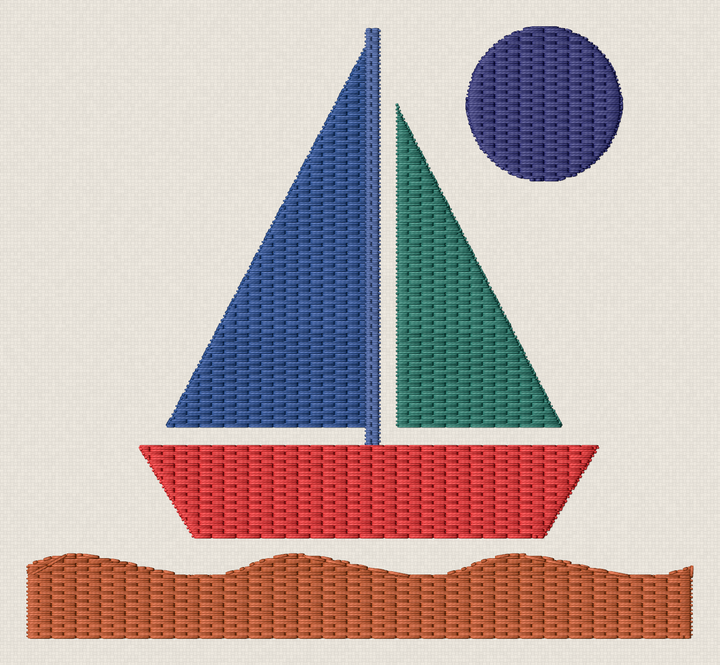
Our own design in this format, as Filestar draws it.

Convert Jpeg To U01 Today

Get started within minutes

Are you in the embroidery industry and looking for an efficient way to convert your JPEG images to U01 embroidery files? Look no further than Filestar's file conversion and processing software. With Filestar, you can easily convert your JPEG images to U01 embroidery files in bulk, saving you time and effort.

Filestar's software runs on both Windows and OSX, making it accessible to a wide range of professionals in the embroidery industry. The batch processing feature allows you to convert multiple files at once, streamlining your workflow and increasing productivity.

Converting and processing files locally on your computer is also safer than relying on cloud-based services. With Filestar, you can rest assured that your files are secure and protected. Plus, you don't need to worry about internet connection issues, as the software is not an online converter.

Whether you're a small business owner or a large-scale manufacturer, Filestar's software can help simplify your file conversion and processing needs. Convert your JPEG images to U01 embroidery files quickly and easily with Filestar. Try it out today and see the difference it can make for your business.